Programmings

Google Colab에서 Kaggle API 쉽게 사용하는 방법

한줄 요약

  • 귀찮지만 한 2개의 Cell은 입력후 실행하자.

개요

  • Google Colab에서 Kaggle을 사용하려면 보통 다음과 같은 과정을 거칩니다.
  • 패키지 설치는 필수입니다.
!pip install kaggle
Requirement already satisfied: kaggle in /usr/local/lib/python3.7/dist-packages (1.5.10)
Requirement already satisfied: python-dateutil in /usr/local/lib/python3.7/dist-packages (from kaggle) (2.8.1)
Requirement already satisfied: six>=1.10 in /usr/local/lib/python3.7/dist-packages (from kaggle) (1.15.0)
Requirement already satisfied: urllib3 in /usr/local/lib/python3.7/dist-packages (from kaggle) (1.24.3)
Requirement already satisfied: requests in /usr/local/lib/python3.7/dist-packages (from kaggle) (2.23.0)
Requirement already satisfied: tqdm in /usr/local/lib/python3.7/dist-packages (from kaggle) (4.41.1)
Requirement already satisfied: certifi in /usr/local/lib/python3.7/dist-packages (from kaggle) (2020.12.5)
Requirement already satisfied: python-slugify in /usr/local/lib/python3.7/dist-packages (from kaggle) (4.0.1)
Requirement already satisfied: chardet<4,>=3.0.2 in /usr/local/lib/python3.7/dist-packages (from requests->kaggle) (3.0.4)
Requirement already satisfied: idna<3,>=2.5 in /usr/local/lib/python3.7/dist-packages (from requests->kaggle) (2.10)
Requirement already satisfied: text-unidecode>=1.3 in /usr/local/lib/python3.7/dist-packages (from python-slugify->kaggle) (1.3)

문제점

  • 아래 코드를 봅시다.
from google.colab import files

uploaded = files.upload()

for fn in uploaded.keys():
  print('User uploaded file "{name}" with length {length} bytes'.format(
      name=fn, length=len(uploaded[fn])))
  
# Then move kaggle.json into the folder where the API expects to find it.
!mkdir -p ~/.kaggle/ && mv kaggle.json ~/.kaggle/ && chmod 600 ~/.kaggle/kaggle.json
  • 문제는 kaggle.json 파일을 매번 업로드 해줘야 하는데, 매우 번거롭습니다. 간혹 파일이 삭제되기도 합니다.

해결방법

  • 이럴 때 간편한 방법은 위 방법 대신에 아래와 같이 입력을 하는 것입니다.
  • key값은 kaggle.json 파일에 있습니다. 메모장 같은 텍스트 에디터나 파이참 같은 통합개발환경툴을 사용하면 바로 확인이 가능합니다.
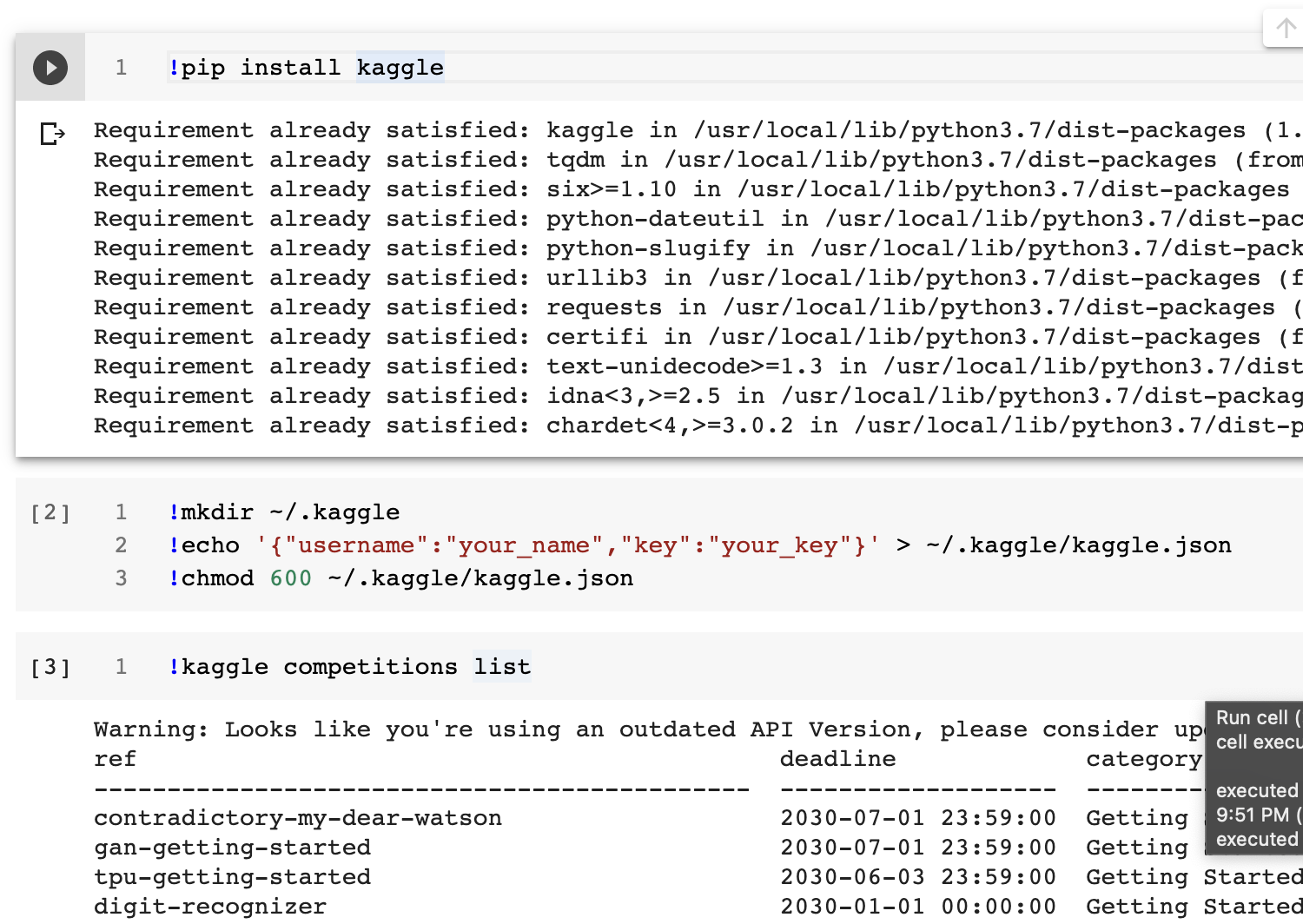
!mkdir ~/.kaggle
!echo '{"username":"your_name","key":"your_key"}' > ~/.kaggle/kaggle.json
!chmod 600 ~/.kaggle/kaggle.json
mkdir: cannot create directory ‘/root/.kaggle’: File exists
  • 실제 잘 되는지 확인해 봅니다.
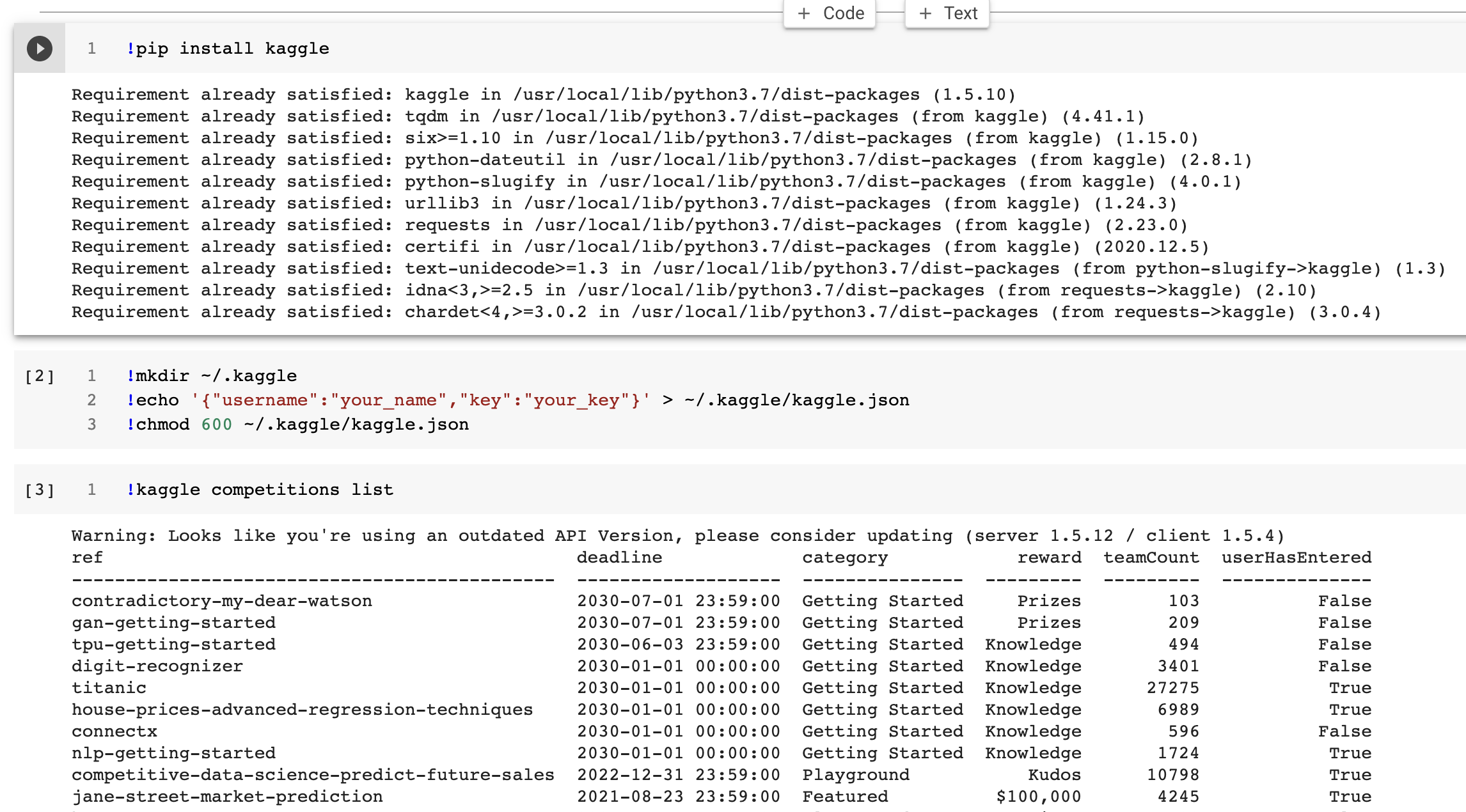
!kaggle competitions list
Warning: Looks like you're using an outdated API Version, please consider updating (server 1.5.12 / client 1.5.4)
ref                                            deadline             category            reward  teamCount  userHasEntered  
---------------------------------------------  -------------------  ---------------  ---------  ---------  --------------  
contradictory-my-dear-watson                   2030-07-01 23:59:00  Getting Started     Prizes        102           False  
gan-getting-started                            2030-07-01 23:59:00  Getting Started     Prizes        209           False  
tpu-getting-started                            2030-06-03 23:59:00  Getting Started  Knowledge        493           False  
digit-recognizer                               2030-01-01 00:00:00  Getting Started  Knowledge       3394           False  
titanic                                        2030-01-01 00:00:00  Getting Started  Knowledge      27213            True  
house-prices-advanced-regression-techniques    2030-01-01 00:00:00  Getting Started  Knowledge       6963            True  
connectx                                       2030-01-01 00:00:00  Getting Started  Knowledge        595           False  
nlp-getting-started                            2030-01-01 00:00:00  Getting Started  Knowledge       1723            True  
competitive-data-science-predict-future-sales  2022-12-31 23:59:00  Playground           Kudos      10797            True  
jane-street-market-prediction                  2021-08-23 23:59:00  Featured          $100,000       4245            True  
hungry-geese                                   2021-07-26 23:59:00  Playground          Prizes        423           False  
coleridgeinitiative-show-us-the-data           2021-06-22 23:59:00  Featured           $90,000        188           False  
bms-molecular-translation                      2021-06-02 23:59:00  Featured           $50,000        350           False  
iwildcam2021-fgvc8                             2021-05-26 23:59:00  Research         Knowledge         11           False  
herbarium-2021-fgvc8                           2021-05-26 23:59:00  Research         Knowledge         30           False  
plant-pathology-2021-fgvc8                     2021-05-26 23:59:00  Research         Knowledge        121           False  
hotel-id-2021-fgvc8                            2021-05-26 23:59:00  Research         Knowledge         26           False  
hashcode-2021-oqr-extension                    2021-05-25 23:59:00  Playground       Knowledge        101           False  
indoor-location-navigation                     2021-05-17 23:59:00  Research           $10,000        734           False  
hpa-single-cell-image-classification           2021-05-11 23:59:00  Featured           $25,000        432           False  
  • 만약, kaggle json 파일을 새로 받았다면? 당연한 말이지만, 위 key값도 새로 입력해줘야 합니다.
  • 아래 코드를 확인해본다.

귀찮지만, 두개의 Cell은 실행합시다. 작은 도움이 되기를 바랍니다. Happy to Code

왜 Git 그래프가 채워지지 않는가?

1줄 요약

  • 이메일을 확인하자.

개요

  • 필자는 강의를 위해 깃헙 계정이 여러개가 존재함
  • 강사용 PC에서 지속적으로 Commit을 진행했으나 Github 그래프가 출력이 되지 않는 오류 발생을 해결하는 과정에서 확인

Github 질의

왜? 공통 이유 중의 하나는 이메일

  • 이 때, 가장 중요한 것은 이메일입니다.
    • 사실, 해당 내용에도 나오지만, 가장 흔한 이유 중의 하나라고 합니다.

Your local Git commit email isn’t connected to your account Commits must be made with an email address that is connected to your account on GitHub, or the GitHub-provided noreply email address provided to you in your email settings, in order to appear on your contributions graph. For more information about noreply email addresses, see “Setting your commit email address.”

Introduction to MLOps

인프런 강의

1줄 요약

  • MLOps를 소개해본다.

What is MLOps?

  • 최근 기술 트렌드 중의 Hot한 주제는 DevOps이다.

    • DevDevelopment의 약어이며, OpsOperation의 약자이다.
    • 과거에는 개발팀과 운영팀 두개로 존재하는 것이 상식이었지만, 가장 큰 문제는 Communication 문제! 이러한 문제점을 해결하기 위해 나온 방법론이 DevOps이다.
  • 이러한 부분은 머신러닝과 딥러닝도 동일함. 즉, 개발자를 위한 배포와 운영이 DevOps라면, 머신러닝 엔지니어를 위해 나온 기술은 MLOps로 볼 수 있다. 자세한 것은 유투브 영상을 통해서 기본적인 개념을 배웠으면 한다.

Windows 10 KoNLP 설치

한줄 요약

  • KoNLP는 여기에서 무조건 해결한다.

KoNLP 이슈

  • R에서 텍스트 마이닝을 진행할 때에는 반드시 한번쯤은 패키지 설치로 인해 어려움을 겪는다. - R 입문자 분들이 초반에 호기롭게 시작하였다가 대부분 포기하려고 하는 지점이기도 하다.
  • 사실, 조금 더 간편한 방법이 나오기를 기대한다.

1단계 Java 설치 및 환경 변수 설정

  • 주의: 윈도우 10 64비트

  • 여러 좋은 자료들이 많아서 같이 참고하기를 바란다.

트위터 데이터 수집 with R

1줄 요약

  • R을 활용하여 트위터 데이터를 수집하는 방법 및 절차에 대해 배우도록 한다.

트위터 API 인증

  • https://apps.twitter.com에 접속한다.

    • 회원가입을 진행한다.
  • create an app 버튼을 클릭한다.

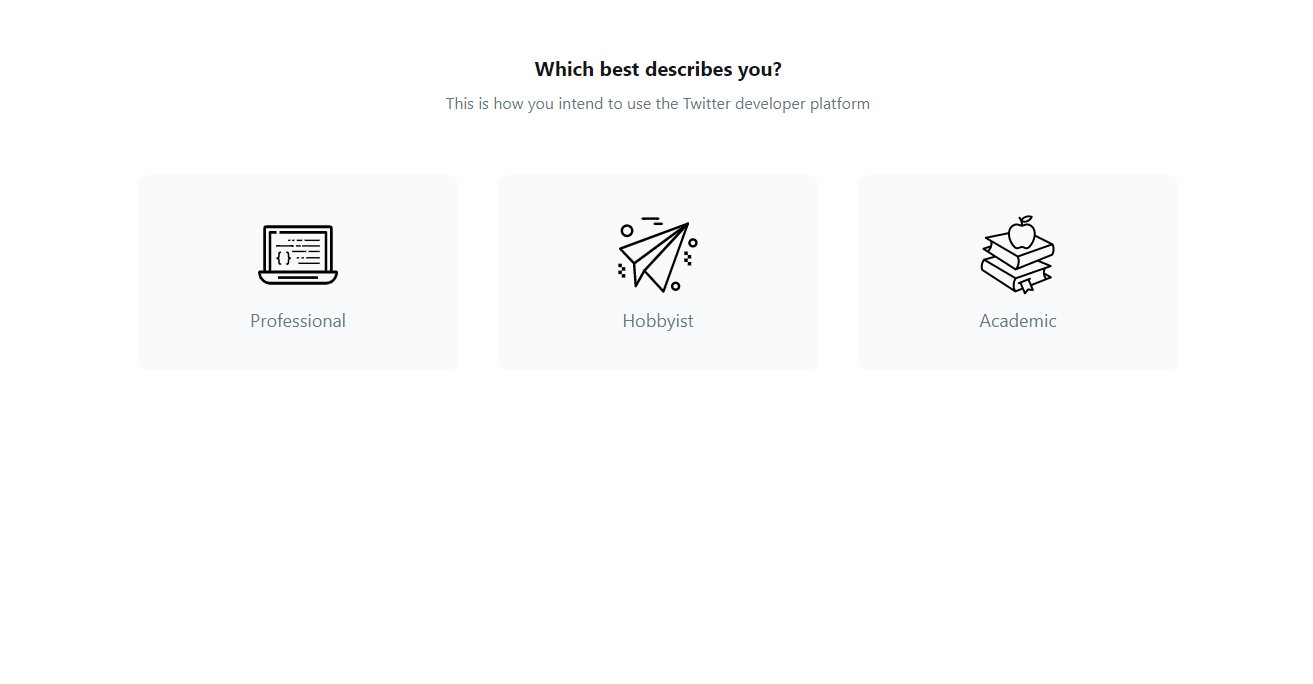
  • 필자는 Hobbysit-Exploring the API를 선택했다.

    • 그 후에 개인 정보 등을 입력해야 한다.
    • 휴대폰, 이메일 인증 등
  • 인증 메일이 오기전까지는 조금 시일이 걸린다.

rtweet 패키지

  • 별도의 인증 절차 없이 사용 가능한 패키지

  • 우선 설치 후, 사용해보도록 한다.

    • 본 코드는 Github 예제로 있는 코드를 가져온 것임
# install.packages("rtweet")
library(rtweet)
library(dplyr)
library(ggplot2)

Search Tweets

  • search_tweets() 함수를 활용하면 매우 쉽게 데이터를 가져올 수 있다.
rstats <- search_tweets("#테슬라", n = 1000, include_rts = FALSE) %>% 
  select(name, location, description)
  • 앱 인증 절차만 진행이 되면 데이터를 가져올 수 있다.
glimpse(rstats)
## Rows: 132
## Columns: 3
## $ name        <chr> "얼리어답터", "얼리어답터", "허프포스트코리아", "뉴스핌", "뉴스핌", "disclosure", ~
## $ location    <chr> "", "", "SEOUL", "Korea", "Korea", "", "", "", "", "", "",~
## $ description <chr> "2001년부터 전세계의 테크 트랜드를 한국에 소개했던 얼리어답터가 완전히 새롭게 다시 시작합니다. 더 ~
  • 텍스트 데이터를 수집할 수 있었다.

그 외 패키지와의 비교

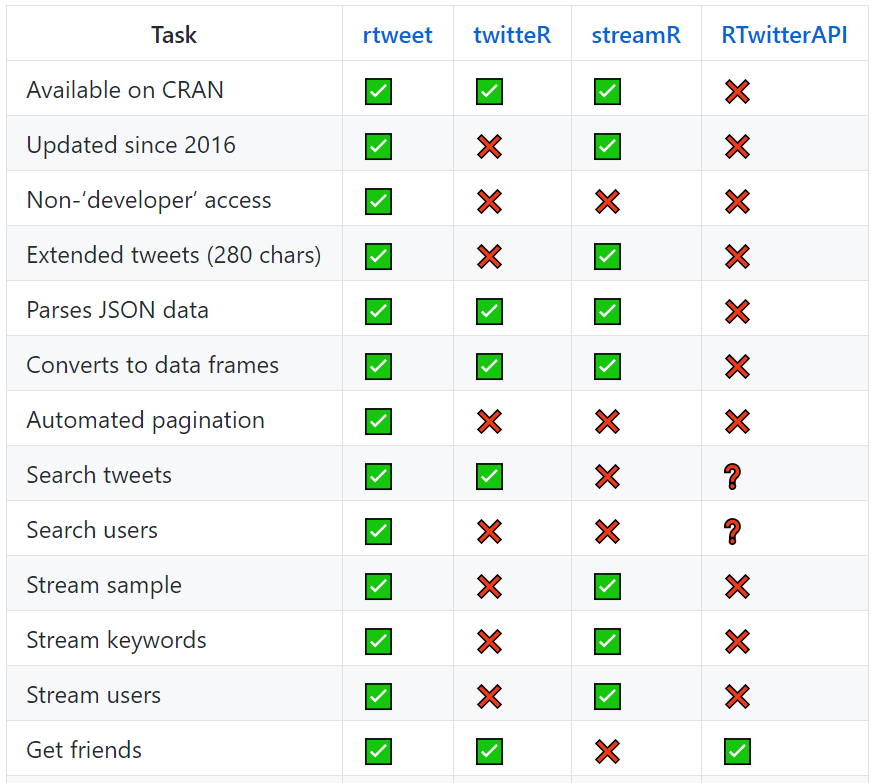
  • Github에는 rtweet 패키지가 어떤 Task를 수행하는 비교하는 표가 있다.

disk.frame 패키지 소개

공지

  • 주석은 가급적 원어를 남겨 놓으니 잘 번역하기를 바란다.

설치

  • 설치 방법은 기존과 마찬가지로 간단하게 작성할 수 있다.
install.packages("disk.frame")
suppressPackageStartupMessages(library(disk.frame))
library(nycflights13)

패키지 주요 아이디어

  • 메모리보다 많은 데이터를 각각의 chunks로 분해하여 하나의 폴더 안에 저장한다. (HDD 디스크 사용)
  • 자세한 셜명은 Giuhub를 참고 (https://github.com/xiaodaigh/disk.frame)

Setup

  • 실습 환경을 구성한다.
setup_disk.frame()
## The number of workers available for disk.frame is 1
# this allows large datasets to be transferred between sessions
options(future.globals.maxSize = Inf)

빠른 시작

disk.frame으로 변환

  • 데이터 객체를 disk.frame으로 변환한다.
# convert the flights data.frame to a disk.frame
# optionally, you may specify an outdir, otherwise, the 
flights.df <- as.disk.frame(nycflights13::flights, overwrite = TRUE)
class(flights.df)
## [1] "disk.frame"        "disk.frame.folder"
flights.df
## path: "/var/folders/zq/ch7gky6n3rzgjf1pd0w2l35w0000gn/T//Rtmp3ymGwx/file61302e8c8834.df"
## nchunks: 1
## nrow (at source): 336776
## ncol (at source): 19
## nrow (post operations): ???
## ncol (post operations): ???
  • 객체가 disk.frame으로 변환된 것을 확인할 수 있다.

Linux 기본 명령어

개요

  • 기본 문법을 다뤄봅니다. (추가적으로 올리고 싶을 때마다 정리해서 올릴 예정입니다.)

unzip

  • 만약에 여러개의 zip 파일을 받는다면 어떻게 해야할까?
  • 다음과 같이 할 수도 있다.
$ unzip a.zip b.zip c.zip d.zip
  • 코드가 조금 길어지는 것 같다. 간단하게 하면 다음과 같이 할 수도 있다.
  • 캐글 대회 데이터를 직접 응용하도록 한다.
$ kaggle competitions download -c sf-crime
Warning: Looks like you're using an outdated API Version, please consider updating (server 1.5.10 / client 1.5.4)
Downloading test.csv.zip to /content
 48% 9.00M/18.7M [00:00<00:00, 52.3MB/s]
100% 18.7M/18.7M [00:00<00:00, 74.0MB/s]
Downloading sampleSubmission.csv.zip to /content
  0% 0.00/2.35M [00:00<?, ?B/s]
100% 2.35M/2.35M [00:00<00:00, 157MB/s]
Downloading train.csv.zip to /content
 41% 9.00M/22.1M [00:00<00:00, 33.6MB/s]
100% 22.1M/22.1M [00:00<00:00, 63.4MB/s]
  • 이번에는 목록을 확인한다.
$ ls
sampleSubmission.csv.zip  test.csv.zip  train.csv.zip
  • 이제 .zip 파일을 해제하도록 한다.
$ unzip '*.zip'
Archive:  train.csv.zip
  inflating: train.csv               

Archive:  test.csv.zip
  inflating: test.csv                

Archive:  sampleSubmission.csv.zip
  inflating: sampleSubmission.csv    

3 archives were successfully processed.
  • 실제 파이썬 코드를 확인해서 데이터 크기를 확인한다.
import os 
DATA_PATH = "./"
for file in os.listdir(DATA_PATH):
  if 'csv' in file and 'zip' not in file:
    print(file.ljust(30) + str(round(os.path.getsize(file) / 1000000, 2)) + 'MB')
test.csv                      91.0MB
sampleSubmission.csv          75.05MB
train.csv                     127.43MB

pwd

  • pwd는 Print Working Directory의 약자로써, 현재 작업중인 경로의 정보를 출력하는 명령어이다.
$ pwd
/Users/username

Reference

Chris Jean, Unzip Multiple Files from Linux Command Line Retrieved from https://chrisjean.com/unzip-multiple-files-from-linux-command-line/

CI CD Pipeline for Data Science

개요

  • 최근 밑바닥부터 시작하는 딥러닝 3로 수업을 수강생들과 진행하며 배포에 관한 내용이 있었습니다. (p 98).
  • 구체적인 방법은 소개하지 않아서, 보충 자료로 작성하였다. 전
  • 단계별로 진행하는데, 깃허브에 관한 기본적인 내용 및 코드는 알고 있다는 전제하에 작성하였다.

필요한 것

Steps - Travis Logins

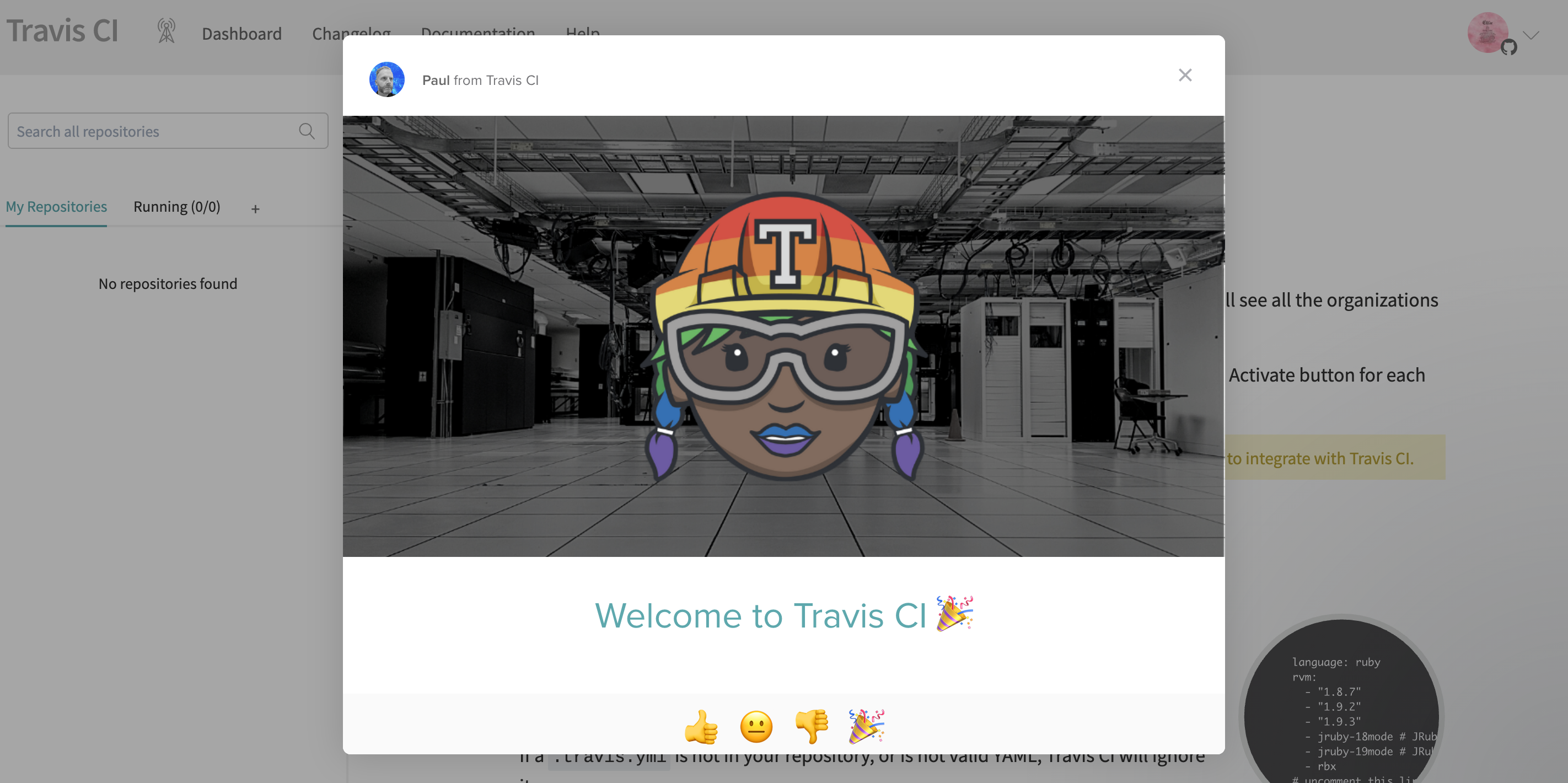
  • Travis에 깃허브로 로그인 한다. 아래와 같은 화면이 나오면 로그인이 잘 된 것이다.

  • 영문 내용을 잘 읽어본다.

(1) Activate your GitHub repositories

Once you’re signed in, go to your profile page where you’ll see all the organizations you’re a member of. You can install the GitHub App integration by clicking the Activate button for each organization you would like to use with Travis CI.

Pandas read_csv skiprows 활용

강의 홍보

문제 개요

  • Kaggle 데이터 New York City Taxi Fare Prediction 데이터를 구글 코랩에서 Loading 하는 중 메모리 문제가 발생함
  • 계통추출(Systematic Sampling)을 통해 데이터를 불러오기로 함

예제 실습

  • 아래 예제를 통해서 실제로 데이터가 줄어드는지 확인을 해본다.
  • 핵심 코드는 skip_logic 함수이며, skiprows = skiprows=lambda x: skip_logic(x, 3) 형태로 작성할 수 있다.
  • IRIS 데이터는 https://www.kaggle.com/saurabh00007/iriscsv 에서 다운로드 받았다.
    • iris 데이터외에도 각자 데이터를 가지고 실습을 해도 좋다.
import pandas as pd 

def skip_logic(index, skip_num):
    if index % skip_num == 0:
        return False
    return True

def main():
    print('**** skiprows 기본 옵션 ****')
    iris = pd.read_csv('iris.csv')
    print(iris.shape)

    print('**** skiprows 인덱스 0, 2, 5만 제외 ****')
    iris = pd.read_csv('iris.csv', skiprows=[0, 2, 5])
    print(iris.shape)
    
    print('**** skiprows 인덱스 range(3, 20)만 제외 ****')
    iris = pd.read_csv('iris.csv', skiprows=[i for i in range(3, 20)])
    print(iris.shape)
    
    print('**** skiprows 입력값의 배수에 해당하는 값만 Load ****')
    iris = pd.read_csv('iris.csv', skiprows=lambda x: skip_logic(x, 3))
    print(iris.shape)
    
if __name__ == '__main__':
    main()
**** skiprows 기본 옵션 ****
(150, 6)
**** skiprows 인덱스 0, 2, 5만 제외 ****
(147, 6)
**** skiprows 인덱스 range(3, 20)만 제외 ****
(133, 6)
**** skiprows 입력값의 배수에 해당하는 값만 Load ****
(50, 6)

실전 적용

  • 이제 배운 것을 적용해보자.

데이터 크기

  • train.csv 데이터의 크기를 확인해보자.
import os

def convert_bytes(file_path, unit=None):
  size = os.path.getsize(file_path)
  if unit == "KB":
    return print('File size: ' + str(round(size / 1024, 3)) + ' Kilobytes')
  elif unit == "MB":
    return print('File size: ' + str(round(size / (1024 * 1024), 3)) + ' Megabytes')
  elif unit == "GB":
    return print('File size: ' + str(round(size / (1024 * 1024 * 1024), 3)) + ' Gigabytes')
  else:
    return print('File size: ' + str(size) + ' bytes')

file_list = ['train.csv', 'test.csv', 'sample_submission.csv']
for file in file_list:
  print("The {file} size: ".format(file=file))
  convert_bytes(file)
  convert_bytes(file, 'KB')
  convert_bytes(file, 'MB')
  convert_bytes(file, 'GB')
  print("--" * 5)
The train.csv size: 
File size: 5697178298 bytes
File size: 5563650.682 Kilobytes
File size: 5433.253 Megabytes
File size: 5.306 Gigabytes
----------
The test.csv size: 
File size: 983020 bytes
File size: 959.98 Kilobytes
File size: 0.937 Megabytes
File size: 0.001 Gigabytes
----------
The sample_submission.csv size: 
File size: 343271 bytes
File size: 335.226 Kilobytes
File size: 0.327 Megabytes
File size: 0.0 Gigabytes
----------

실전 적용

  • 이제 실전 적용을 해본다.
import numpy as np
import pandas as pd
import seaborn as sns 
import matplotlib.pyplot as plt

def skip_logic(index, skip_num):
    if index % skip_num == 0:
        return False
    return True

train = pd.read_csv('./train.csv', skiprows=lambda x: skip_logic(x, 4))
print(train.shape)
test = pd.read_csv('./test.csv')
submission = pd.read_csv('./sample_submission.csv')
(13855964, 8)

결론

  • 대용량 데이터를 다루는 것은 쉽지 않지만, skiprows 파라미터를 적절히 활용하여 메모리 이슈를 피하자.

ACEA Water, Intro to Time Series Forecasting

강의 홍보

Overview

Can you build a model to predict the amount of water in each waterbody to help preserve this natural resource? This is an Analytics competition where your task is to create a Notebook that best addresses the Evaluation criteria below. Submissions should be shared directly with host and will be judged by the Acea Group based on how well they addrss: