Programmings

(Python) Pandas Data Convert

강의 홍보

1줄 요약

  • Pandas에서 데이터 형변환은 astype로 끝낸다.

참고자료

예제

  • 가상의 temp 데이터를 만든다.
  • 모두 0, 1, 2 데이터이지만 각 데이터 타입은 모두 다르다.
import pandas as pd

temp = pd.DataFrame({"A": [0,1,2], 
                     "B": ["0", "1", "2"], 
                     "C": [0.0, 1.0, 2.0]})

temp.info()
<class 'pandas.core.frame.DataFrame'>
RangeIndex: 3 entries, 0 to 2
Data columns (total 3 columns):
 #   Column  Non-Null Count  Dtype  
---  ------  --------------  -----  
 0   A       3 non-null      int64  
 1   B       3 non-null      object 
 2   C       3 non-null      float64
dtypes: float64(1), int64(1), object(1)
memory usage: 200.0+ bytes
print(temp)
   A  B  C
0  0  0  0
1  1  1  1
2  2  2  2

확인

  • 변환을 진행할 때는, 아래와 같이 확인하는 용도로 우선 확인한다. 이 때 확인해야 하는 것은 dtype: ~ 이다.
  • 보시다시피 정상적으로 잘 변환되는 것을 알 수 있다.
temp["A"].astype(str)
0    0
1    1
2    2
Name: A, dtype: object
temp["B"].astype(int)
0    0
1    1
2    2
Name: B, dtype: int64
temp["C"].astype(int)
0    0
1    1
2    2
Name: C, dtype: int64

적용

  • 이제 본 데이터에 적용을 해본다.
temp["A"] = temp["A"].astype(str)
temp["B"] = temp["B"].astype(int)
temp["C"] = temp["C"].astype(int)

temp.info()
<class 'pandas.core.frame.DataFrame'>
RangeIndex: 3 entries, 0 to 2
Data columns (total 3 columns):
 #   Column  Non-Null Count  Dtype 
---  ------  --------------  ----- 
 0   A       3 non-null      object
 1   B       3 non-null      int64 
 2   C       3 non-null      int64 
dtypes: int64(2), object(1)
memory usage: 200.0+ bytes
  • 처음과 달라진 Dtype를 확인할 수 있을 것이다.
  • 간단한 문법이지만, 막상 실무에서 적용하려면 생각이 잘 나지 않을수도 있다. 작은 도움이 되기를 바란다.

Happy To Code

(Python) Defining the Encoding

1줄 요약

  • 공식 문서를 한번 읽어보도록 합니다.

Why?

  • 한글 사용자에게 인코딩은 언제나 어렵습니다. 한글 깨져요…
  • 그리고 파이썬의 기본 인코딩은 ASCII라 합니다.

How to use

  • 임의의 .py 파일에서 다음과 같이 시작을 합니다.
#!/usr/bin/python
# -*- coding: utf-8 -*-
import os, sys
...

References

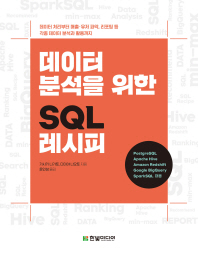
(SQL-Tutorial) 데이터 분석을 위한 SQL 레시피와 빅쿼리 사용

1줄 요약

데이터 분석을 위한 SQL 레시피 교재를 빅쿼리에서 활용해본다.

책 소개

실습 준비

  • 도서의 부록/예제소스를 다운로드 하세요.

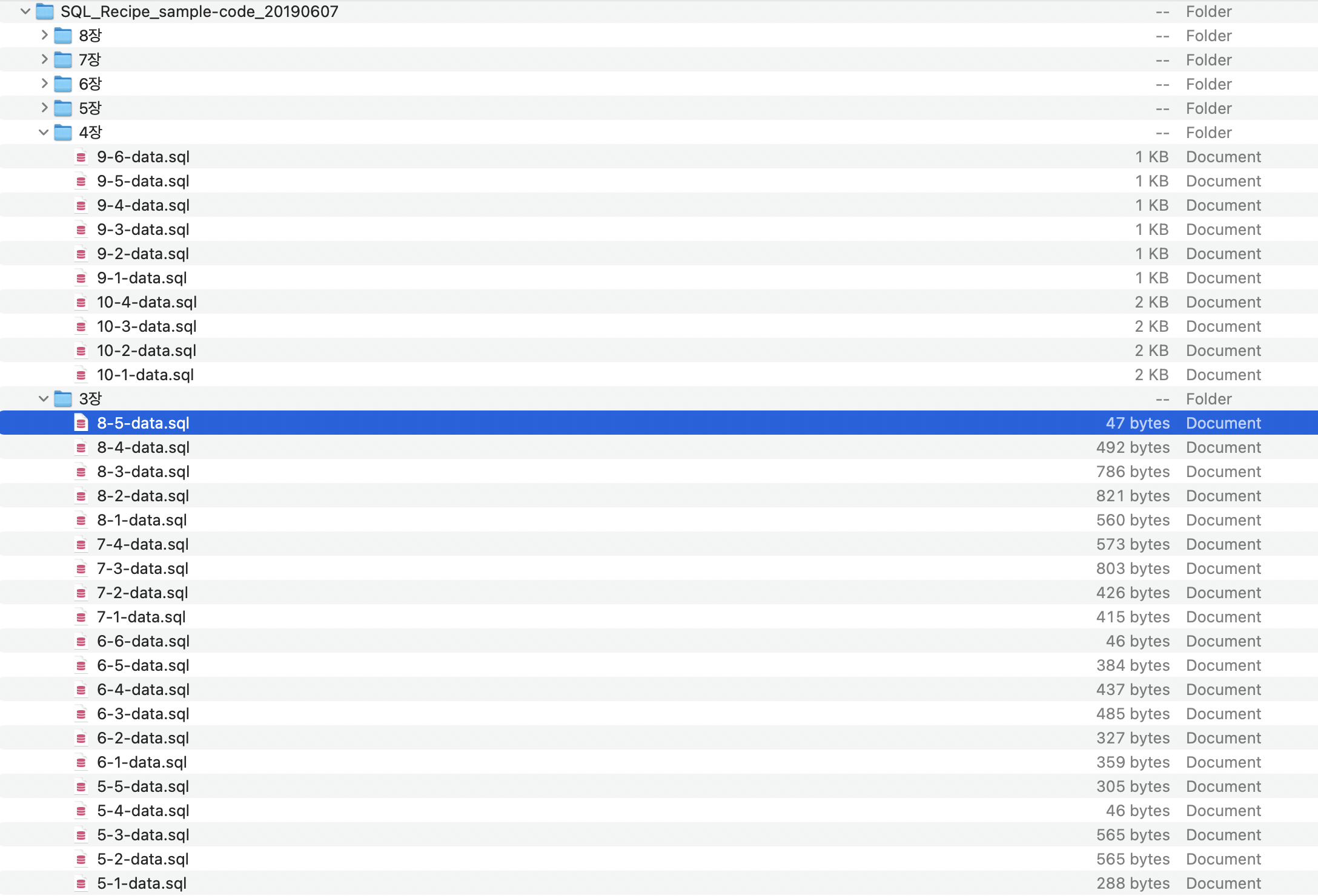
  • 예제 소스 코드를 열어봅니다.

  • sql 소스코드로 구성이 되어 있는 것을 확인할 수 있습니다.

  • 저자가 말하는 샘플 데이터 내용은 아래와 같습니다.

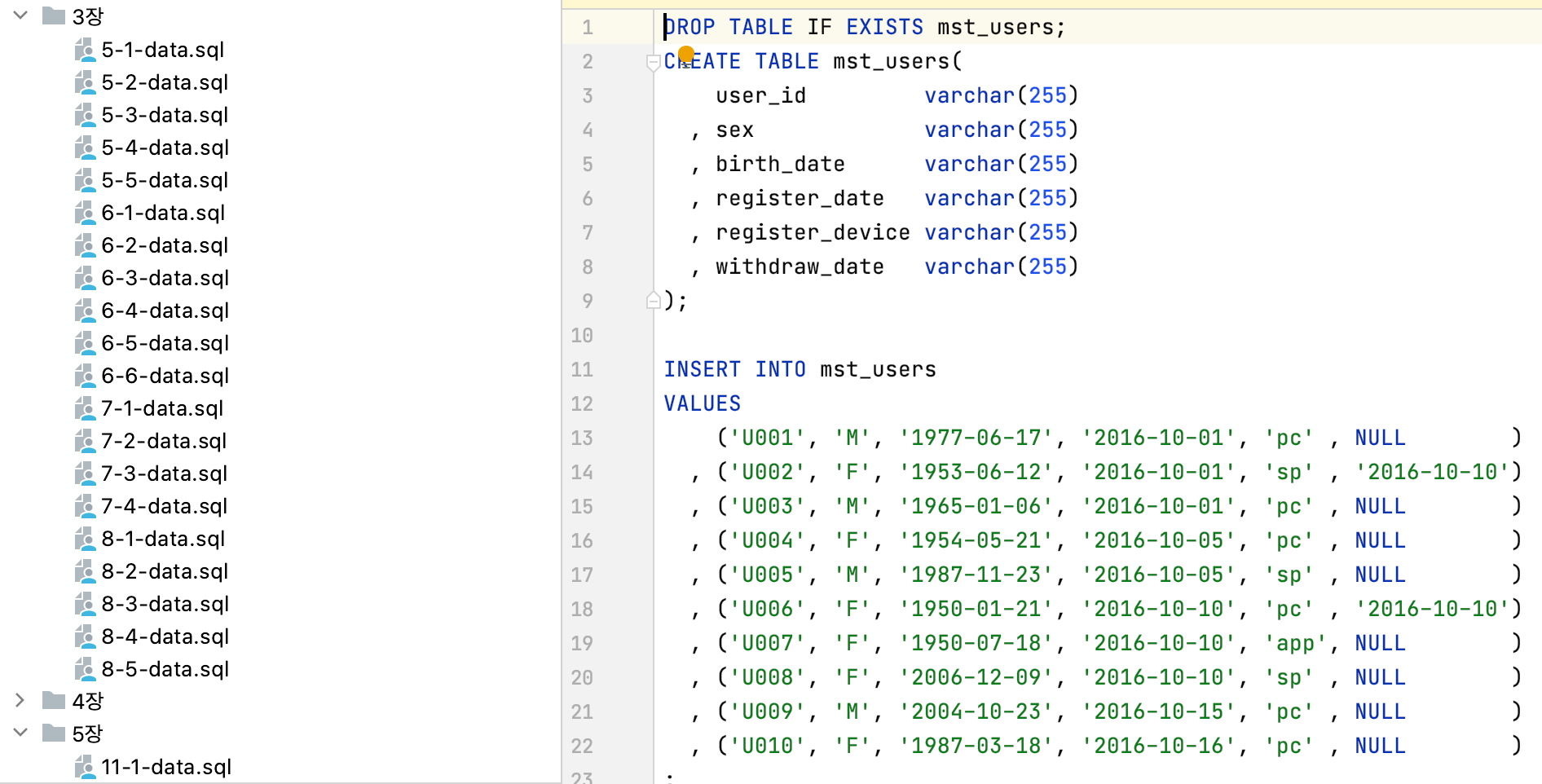
  • 이번에는 임의의 SQL 파일을 열어서 확인하도록 합니다.

  • 위 이미지에서 보면, Table을 생성하는 형태로 구성이 되어 있는 것을 알 수 있습니다.
  • 따라서, 위 코드가 실제 빅쿼리에도 동일하게 적용이 되는지 확인을 하도록 합니다.

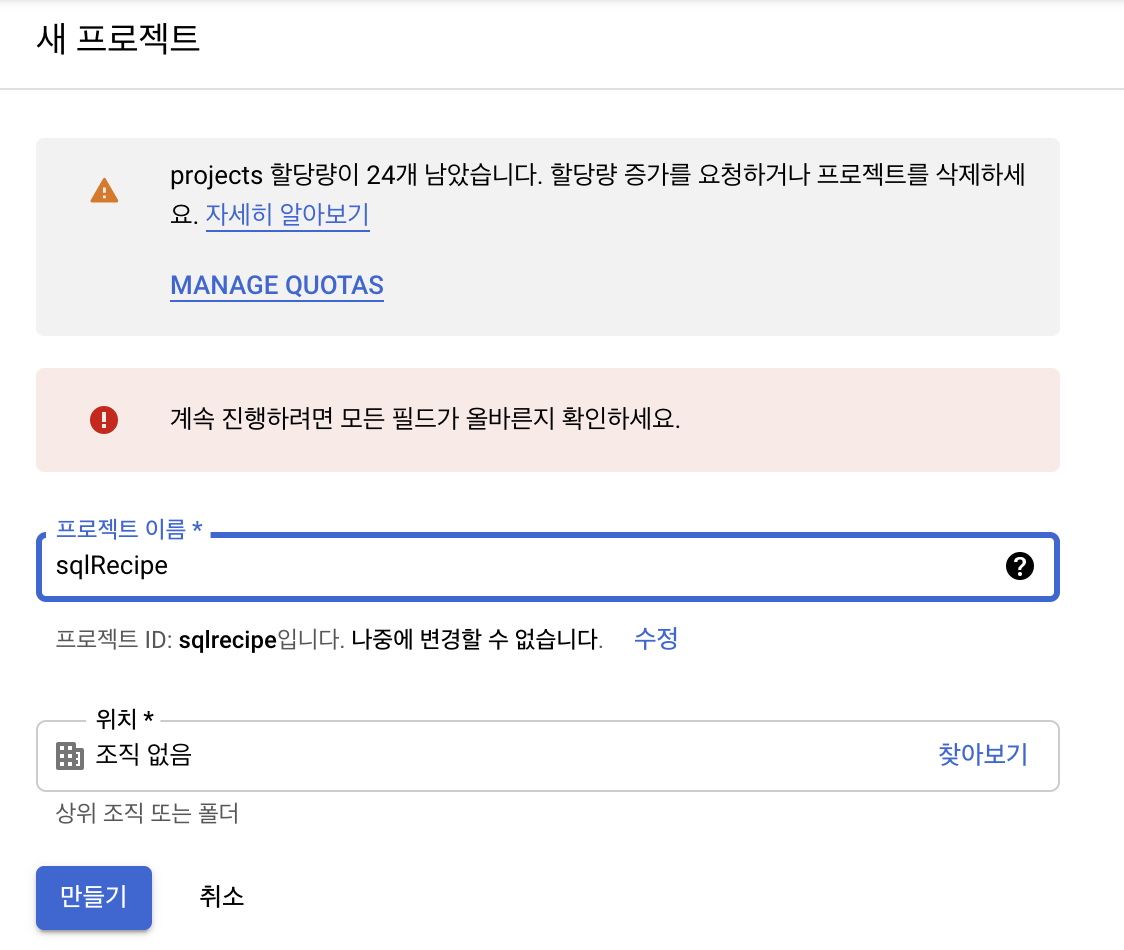
빅쿼리에서의 실습

Kaggle-Python-Bigquery 연동 예제

1줄 요약

  • 캐글 데이터를 빅쿼리에 넣어보

캐글 데이터 다운로드

  • 캐글 데이터를 다운로드 받습니다.
!pip install kaggle
Requirement already satisfied: kaggle in /usr/local/lib/python3.7/dist-packages (1.5.12)
Requirement already satisfied: six>=1.10 in /usr/local/lib/python3.7/dist-packages (from kaggle) (1.15.0)
Requirement already satisfied: requests in /usr/local/lib/python3.7/dist-packages (from kaggle) (2.23.0)
Requirement already satisfied: urllib3 in /usr/local/lib/python3.7/dist-packages (from kaggle) (1.24.3)
Requirement already satisfied: certifi in /usr/local/lib/python3.7/dist-packages (from kaggle) (2020.12.5)
Requirement already satisfied: python-dateutil in /usr/local/lib/python3.7/dist-packages (from kaggle) (2.8.1)
Requirement already satisfied: tqdm in /usr/local/lib/python3.7/dist-packages (from kaggle) (4.41.1)
Requirement already satisfied: python-slugify in /usr/local/lib/python3.7/dist-packages (from kaggle) (4.0.1)
Requirement already satisfied: idna<3,>=2.5 in /usr/local/lib/python3.7/dist-packages (from requests->kaggle) (2.10)
Requirement already satisfied: chardet<4,>=3.0.2 in /usr/local/lib/python3.7/dist-packages (from requests->kaggle) (3.0.4)
Requirement already satisfied: text-unidecode>=1.3 in /usr/local/lib/python3.7/dist-packages (from python-slugify->kaggle) (1.3)
!mkdir ~/.kaggle
!echo '{"username":"your_id","key":"your_key"}' > ~/.kaggle/kaggle.json
!chmod 600 ~/.kaggle/kaggle.json
!kaggle competitions download -c tabular-playground-series-apr-2021
Warning: Looks like you're using an outdated API Version, please consider updating (server 1.5.12 / client 1.5.4)
Downloading test.csv.zip to /content
  0% 0.00/2.07M [00:00<?, ?B/s]
100% 2.07M/2.07M [00:00<00:00, 59.0MB/s]
Downloading train.csv.zip to /content
  0% 0.00/2.13M [00:00<?, ?B/s]
100% 2.13M/2.13M [00:00<00:00, 69.3MB/s]
Downloading sample_submission.csv to /content
  0% 0.00/879k [00:00<?, ?B/s]
100% 879k/879k [00:00<00:00, 124MB/s]
!ls
sample_data  sample_submission.csv  test.csv.zip  train.csv.zip
!unzip "*.zip"
Archive:  train.csv.zip
  inflating: train.csv               

Archive:  test.csv.zip
  inflating: test.csv                

2 archives were successfully processed.

사용자 계정 인증

from google.colab import auth
auth.authenticate_user()
print('Authenticated')
Authenticated

빅쿼리 사용 예제

  • 빅쿼리 사용에 앞서서 세팅을 해야 합니다.

파이썬 객체 지향 프로그래밍 - Attributes & Methods (2)

1줄 요약

  • 클래스를 직접 구현하면서 Attributes & Methods의 차이점에 대해 이해한다.

개요

  • 기본적인 클래스 등을 작성해본다.
class Customer:
    pass
  • class <name>: 클래스의 이름을 정의함
  • 만약, pass를 입력하면 하나의 empty 클래스를 생성하는 것이다.
  • 이렇게 생성된 클래스는 여러개의 인스턴스를 만들 수 있음
c1 = Customer() 
c2 = Customer()

Methods 추가

  • 이번에는 간단한 method를 추가한다.
class Customer:
    def identify(self, name): 
        print("저는 소비자 " + name + " 입니다.")
  • 함수 작성 시에는 self를 가장 먼저 입력한다.
cust = Customer()
cust.identify("Evan")
저는 소비자 Evan 입니다.
  • Self를 어떻게 이해하면 좋을까? 다양한 프로그래밍 설명이 있지만, 직관적으로 표현하면, instance 자기 자신이라고 표현하는 것이 맞다.
    • cust.identify(“Evan”)는 Customer.identify(cust, “Evan”)이라고 해석하는 것과 동일하다.

Attributes 추가

  • 이번에는 Attributes를 추가한다.
class Customer:
    
    def set_name(self, new_name):
        self.name = new_name
  • set_name이 호출 될 때, .name도 같이 호출 된다.
  • 조금더 구체적으로 살펴보면 다음과 같다.
cust2 = Customer() # 이 때에는 .name이 존재하지 않는다. 
cust2.set_name("Evan") # 이 때에는 .name이 생성되며, "Evan" 이름이 저장된다. 
print(cust2.name) # 정상적으로 호출이 된다
Evan
  • 이번에는 identify 메서드 형식을 바꾸도록 한다.
class Customer:
    
    def set_name(self, new_name):
        self.name = new_name
        
    def identify(self): 
        print("저는 소비자 " + self.name + " 입니다.")
  • idenfity( ) 내부에 name 인자는 없었졌다. 그리고, print( ) 내부에 있는 name은 self.name으로 변경 된다.
cust = Customer()
cust.set_name("Evan")
cust.identify()
저는 소비자 Evan 입니다.

References

파이썬 객체 지향 프로그래밍 - Attributes & Methods

1줄 요약

  • Attributes & Methods의 차이점에 대해 이해한다.

개요

  • Object = State + Behavior
    • 예) Email, Phone Number, 배송상태
  • Class는 일종의 가이드라인을 의미
  • 파이썬 내의 모든 객체는 일종으 클래스임
Object Class
7 int
“Hello” str
pd.DataFrame() DataFrame
  • 해당 클래스를 찾기 위해 type( )를 사용함.
import numpy as np
temp = np.array([1, 2, 3])
print(type(temp))
<class 'numpy.ndarray'>

State + Behavior
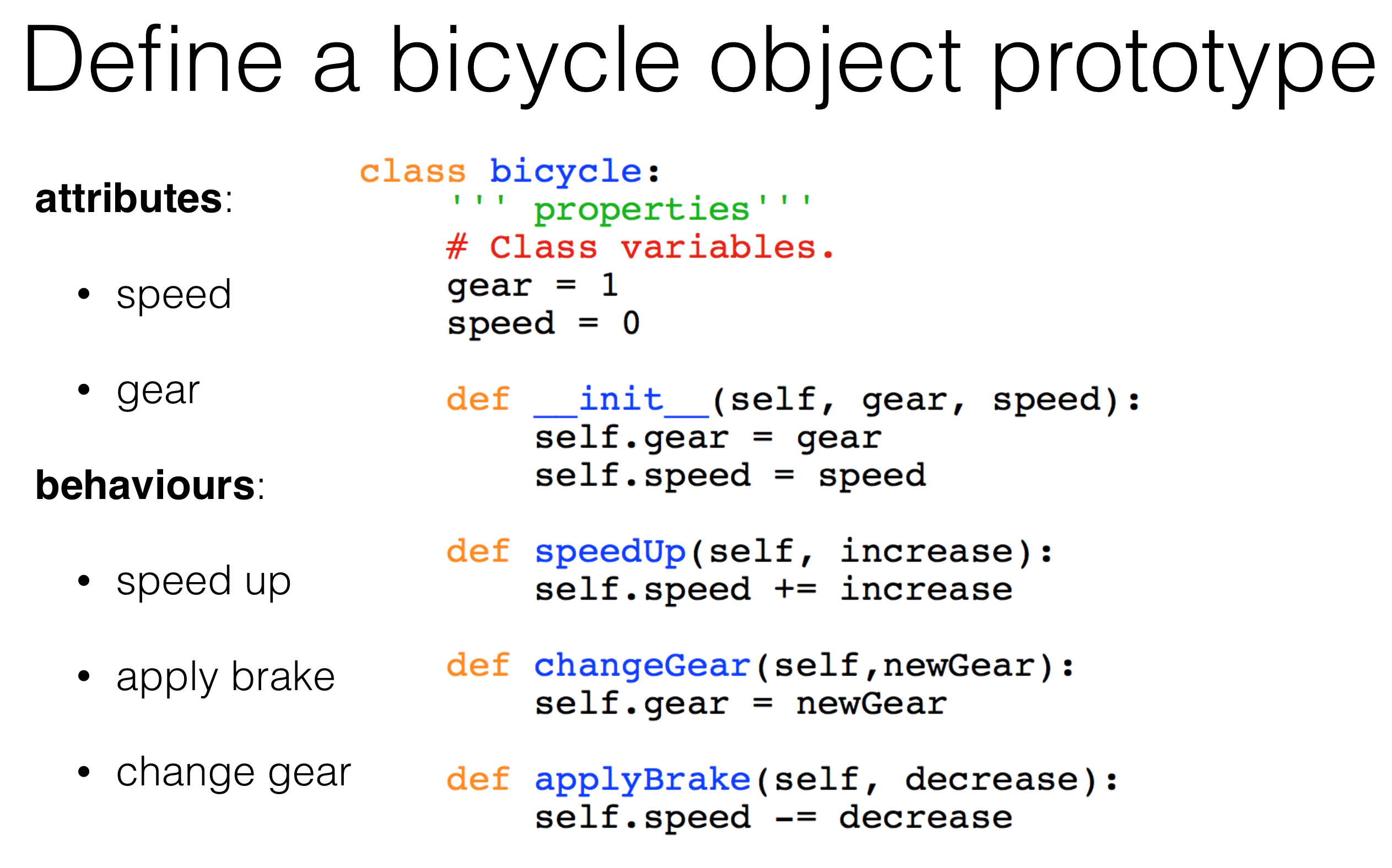
  • 그렇다면, State를 지칭하는 파이썬 문법은 무엇인가?
    • 파이썬에서는 이를 Attributes라고 부른다.
  • 또한, Behavior를 지칭하는 파이썬 문법은 무엇인가?
    • 파이썬에서는 이를 Methods라고 부른다.
  • 먼저 Attributes 문법을 확인해본다.
# shape attribute
temp.shape
(3,)
  • 이번에는 Methods 문법을 확인해본다.
# reshpae method
temp.reshape(3, 1)
array([[1],
       [2],
       [3]])

소결

  • Object = Attributes + Methods
    • attribute <-> variables <-> obj.my_attribute,
    • attribute <-> function() <-> obj.my_method().
  • dir() 해당 객체의 모든 attributes, methods를 보여줌
dir(temp)
['T',
 '__abs__',
 '__add__',
 '__and__',
 '__array__',
 '__array_finalize__',
 '__array_function__',
 '__array_interface__',
 '__array_prepare__',
 '__array_priority__',
 '__array_struct__',
 '__array_ufunc__',
 '__array_wrap__',
 '__bool__',
 '__class__',
 '__complex__',
 '__contains__',
 '__copy__',
 '__deepcopy__',
 '__delattr__',
 '__delitem__',
 '__dir__',
 '__divmod__',
 '__doc__',
 '__eq__',
 '__float__',
 '__floordiv__',
 '__format__',
 '__ge__',
 '__getattribute__',
 '__getitem__',
 '__gt__',
 '__hash__',
 '__iadd__',
 '__iand__',
 '__ifloordiv__',
 '__ilshift__',
 '__imatmul__',
 '__imod__',
 '__imul__',
 '__index__',
 '__init__',
 '__init_subclass__',
 '__int__',
 '__invert__',
 '__ior__',
 '__ipow__',
 '__irshift__',
 '__isub__',
 '__iter__',
 '__itruediv__',
 '__ixor__',
 '__le__',
 '__len__',
 '__lshift__',
 '__lt__',
 '__matmul__',
 '__mod__',
 '__mul__',
 '__ne__',
 '__neg__',
 '__new__',
 '__or__',
 '__pos__',
 '__pow__',
 '__radd__',
 '__rand__',
 '__rdivmod__',
 '__reduce__',
 '__reduce_ex__',
 '__repr__',
 '__rfloordiv__',
 '__rlshift__',
 '__rmatmul__',
 '__rmod__',
 '__rmul__',
 '__ror__',
 '__rpow__',
 '__rrshift__',
 '__rshift__',
 '__rsub__',
 '__rtruediv__',
 '__rxor__',
 '__setattr__',
 '__setitem__',
 '__setstate__',
 '__sizeof__',
 '__str__',
 '__sub__',
 '__subclasshook__',
 '__truediv__',
 '__xor__',
 'all',
 'any',
 'argmax',
 'argmin',
 'argpartition',
 'argsort',
 'astype',
 'base',
 'byteswap',
 'choose',
 'clip',
 'compress',
 'conj',
 'conjugate',
 'copy',
 'ctypes',
 'cumprod',
 'cumsum',
 'data',
 'diagonal',
 'dot',
 'dtype',
 'dump',
 'dumps',
 'fill',
 'flags',
 'flat',
 'flatten',
 'getfield',
 'imag',
 'item',
 'itemset',
 'itemsize',
 'max',
 'mean',
 'min',
 'nbytes',
 'ndim',
 'newbyteorder',
 'nonzero',
 'partition',
 'prod',
 'ptp',
 'put',
 'ravel',
 'real',
 'repeat',
 'reshape',
 'resize',
 'round',
 'searchsorted',
 'setfield',
 'setflags',
 'shape',
 'size',
 'sort',
 'squeeze',
 'std',
 'strides',
 'sum',
 'swapaxes',
 'take',
 'tobytes',
 'tofile',
 'tolist',
 'tostring',
 'trace',
 'transpose',
 'var',
 'view']

References

GCP Kubernetes Engine을 통한 배포(2)

인프런 강의

1줄 요약

  • (GCP) GKE를 활용하여 nginx를 실행해보자.

Step 1. GCP Shell 활성화

  • You can list the active account name with this command:
(your_project_id)$ gcloud auth list
           Credentialed Accounts
ACTIVE  ACCOUNT
*       student-04-e46af1f1cd7b@qwiklabs.net

To set the active account, run:
    $ gcloud config set account `ACCOUNT`
  • You can list the project ID with this command:
(your_project_id)$ gcloud config list project
[core]
project = qwiklabs-gcp-04-79efc1e4ae0f

Your active configuration is: [cloudshell-24251]

Step 2. Create Deployment manifests

  • Task 1. Create deployment manifests and deploy to the cluster

(1) Connect to the lab GKE cluster

  • In Cloud Shell, type the following command to set the environment variable for the zone and cluster name.
(your_project_id)$ export my_zone=us-central1-a
(your_project_id)$ export my_cluster=standard-cluster-1
  • Configure kubectl tab completion in Cloud Shell.
(your_project_id)$ source <(kubectl completion bash)
  • In Cloud Shell, configure access to your cluster for the kubectl command-line tool, using the following command:
$ gcloud container clusters get-credentials $my_cluster --zone $my_zone
Fetching cluster endpoint and auth data.
kubeconfig entry generated for standard-cluster-1.
  • In Cloud Shell enter the following command to clone the repository to the lab Cloud Shell.
(your_project_id)$ git clone https://github.com/GoogleCloudPlatform/training-data-analyst
  • Create a soft link as a shortcut to the working directory.
(your_project_id)$ ln -s ~/training-data-analyst/courses/ak8s/v1.1 ~/ak8s
  • Change to the directory that contains the sample files for this lab.
(your_project_id)$ cd ~/ak8s/Deployments/
your_id@cloudshell:~/ak8s/Deployments (your_project_id)$

(2) Create a deployment manifest

  • You will create a deployment using a sample deployment manifest called nginx-deployment.yaml that has been provided for you. This deployment is configured to run three Pod replicas with a single nginx container in each Pod listening on TCP port 80.
    • Let’s create nginx-deployment.yaml
apiVersion: apps/v1
kind: Deployment
metadata:
  name: nginx-deployment
  labels:
    app: nginx
spec:
  replicas: 3
  selector:
    matchLabels:
      app: nginx
  template:
    metadata:
      labels:
        app: nginx
    spec:
      containers:
      - name: nginx
        image: nginx:1.7.9
        ports:
        - containerPort: 80
  • To deploy your manifest, execute the following command:
~/ak8s/Deployments (your_project_id)$ kubectl apply -f ./nginx-deployment.yaml
  • To view a list of deployments, execute the following command:
~/ak8s/Deployments (your_project_id)$ kubectl get deployments
NAME               READY   UP-TO-DATE   AVAILABLE   AGE
nginx-deployment   3/3     3            3           24s

Step 3.Manually scale up and down the number of Pods in deployments

Sometimes, you want to shut down a Pod instance. Other times, you want ten Pods running. In Kubernetes, you can scale a specific Pod to the desired number of instances. To shut them down, you scale to zero. In this task, you scale Pods up and down in the Google Cloud Console and Cloud Shell.

[Python] Open API를 활용한 Air Quality 데이터 수집 예제

강의 홍보

1줄 요약

  • 오픈 데이터로 활용하여 시계열 데이터를 확보해보자.

동기 부여

  • Pandas 공식 홈페이지가 살짝 바뀐 듯 하였다.
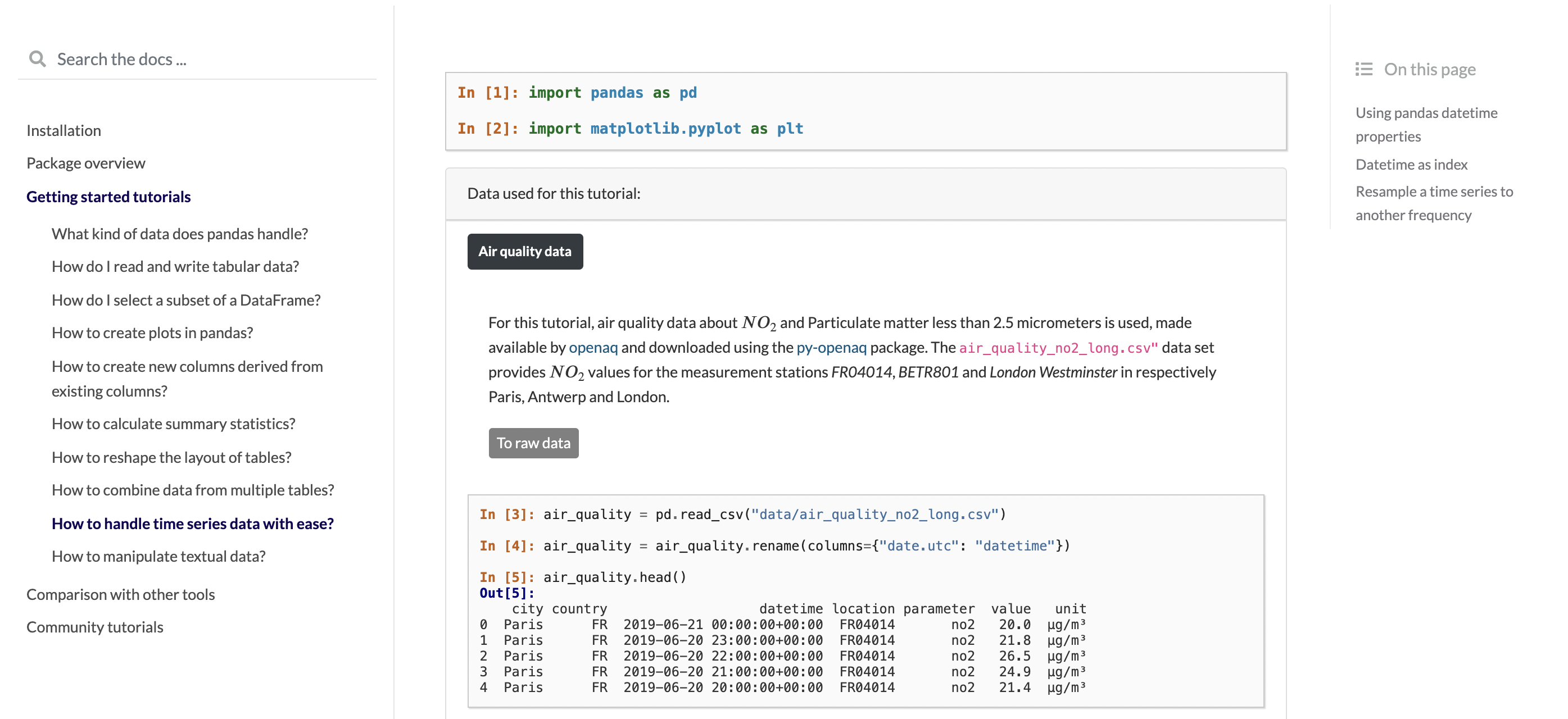
  • 시계열 데이터를 다루는 페이지를 확인하던 중 open air quality data API가 있는 것을 확인하였다.

라이브러리 설치

  • 라이브러리 설치는 비교적 간단하다.
$ pip install py-openaq
Collecting py-openaq
  Downloading py-openaq-1.1.0.tar.gz (7.9 kB)
Building wheels for collected packages: py-openaq
  Building wheel for py-openaq (setup.py) ... done
  Created wheel for py-openaq: filename=py_openaq-1.1.0-py3-none-any.whl size=9036 sha256=1d5011bd3ef180c93d275081f6f5ad20d569c9f7ce2982eabaaeee7307070b75
  Stored in directory: /Users/evan/Library/Caches/pip/wheels/01/1d/be/6b6a0ee792bbc9138aeb645707cdad8da741bb2d789beb04d9
Successfully built py-openaq
Installing collected packages: py-openaq
Successfully installed py-openaq-1.1.0

데이터 불러오기

  • 데이터를 불러오면 다음과 같다.
import openaq
api = openaq.OpenAQ()

location = "FR04014"
date_from = "2019-05-07T01:00:00" 
date_to = "2019-06-21T00:00:00" 
parameter = "no2"

FR04014_results = api.measurements(location=location, 
                                   parameter=parameter, 
                                   date_from=date_from, 
                                   date_to=date_to, 
                                   limit=10000,
                                   df=True, 
                                   index='local')
print(FR04014_results.shape)
FR04014_results.head()
(1002, 9)
location parameter value unit country city date.utc coordinates.latitude coordinates.longitude
date.local
2019-06-21 02:00:00 FR04014 no2 20.0 b'\xc2\xb5g/m\xc2\xb3' FR Paris 2019-06-21 00:00:00+00:00 48.837243 2.393902
2019-06-21 01:00:00 FR04014 no2 21.8 b'\xc2\xb5g/m\xc2\xb3' FR Paris 2019-06-20 23:00:00+00:00 48.837243 2.393902
2019-06-21 00:00:00 FR04014 no2 26.5 b'\xc2\xb5g/m\xc2\xb3' FR Paris 2019-06-20 22:00:00+00:00 48.837243 2.393902
2019-06-20 23:00:00 FR04014 no2 24.9 b'\xc2\xb5g/m\xc2\xb3' FR Paris 2019-06-20 21:00:00+00:00 48.837243 2.393902
2019-06-20 22:00:00 FR04014 no2 21.4 b'\xc2\xb5g/m\xc2\xb3' FR Paris 2019-06-20 20:00:00+00:00 48.837243 2.393902
  • 정상적으로 데이터가 불러오진 것을 확인할 수 있다.
  • 다음은 3개의 데이터셋을 만들어서 합친 후, 시계열 데이터 핸들링을 연습해보독 한다.

Reference

HP-Nunes.(2020). An Introduction to Data Collection: REST APIs with Python & Pizzas, Medium, Retrieved from https://medium.com/@geocuriosity/an-introduction-to-data-collection-rest-apis-with-python-pizzas-7b682cef676c

GCP Kubernetes Engine을 통한 배포(1)

인프런 강의

1줄 요약

  • (GCP) GKE를 활용하여 nginx를 실행해보자.

Step 1. GKE Cluster Setup

  • 네비게이션 메뉴에서 Kubernetes Engine > Clusters를 클릭합니다.

  • 위 화면에서 Create를 클릭합니다.

  • 그 이후에, Cluster 이름은 standard-cluster-1으로 바꾸고, Zone은 us-central1-a로 바꿉니다.

  • 나머지는 모두 Default로 그냥 놔둡니다.

Docker Started using Cloud Build

인프런 강의

1줄 요약

  • (GCP) Cloud Build를 활용하여 Docker를 활용해보자.

Step 1. API Enabled

  • 클라우드 네비게이션 메뉴에서 APIs & Services를 클릭한다.
  • Enable APIs and Services를 클릭한다.
  • Search for APIs & Services에서 Cloud Build를 입력한다.
  • Cloud Build API를 클릭한 후, Enable 버튼을 클릭한다.
  • 뒤로가기 버튼을 클릭한 후, Google Container Registry API 버튼을 클릭한다.

Step 2. Docker File 작성

  • 아래 그림처럼 Activate Cloud Shell를 클릭한다.