개요
- PyCaret이 최근 업데이트 되면서 Kaggle에서 설치 오류가 뜨기 시작함.
- 해결책은 몇가지 있으나, 그 중 Downgrade 해서 설치 할 예정
캐글 대회 시작
- 캐글 노트북 시작을 하면 다음 코드가 나타난다. 다음 Cell부터 진행한다.
# This Python 3 environment comes with many helpful analytics libraries installed
# It is defined by the kaggle/python Docker image: https://github.com/kaggle/docker-python
# For example, here's several helpful packages to load

import numpy as np # linear algebra
import pandas as pd # data processing, CSV file I/O (e.g. pd.read_csv)

# Input data files are available in the read-only "../input/" directory
# For example, running this (by clicking run or pressing Shift+Enter) will list all files under the input directory

import os
for dirname, _, filenames in os.walk('/kaggle/input'):
    for filename in filenames:
        print(os.path.join(dirname, filename))

# You can write up to 20GB to the current directory (/kaggle/working/) that gets preserved as output when you create a version using "Save & Run All"
# You can also write temporary files to /kaggle/temp/, but they won't be saved outside of the current session
/kaggle/input/tabular-playground-series-apr-2022/sample_submission.csv
/kaggle/input/tabular-playground-series-apr-2022/train_labels.csv
/kaggle/input/tabular-playground-series-apr-2022/train.csv
/kaggle/input/tabular-playground-series-apr-2022/test.csv
라이브러리 Downgrade
- 설치하려고 하는 Library는 PyCaret 2.3.5 버전임 (4월 10일 기준 2.3.10 버전)
- Scikit-Learn 최신 버전은 1.0대 버전임
- 이를 낮춰서 진행할 것임
!pip install numpy==1.19.5
!pip install matplotlib==3.4.0
!pip install scikit-learn==0.23.2
!pip install pycaret==2.3.5
Collecting numpy==1.19.5
Downloading numpy-1.19.5-cp37-cp37m-manylinux2010_x86_64.whl (14.8 MB)
�[2K �[90m━━━━━━━━━━━━━━━━━━━━━━━━━━━━━━━━━━━━━━━━�[0m �[32m14.8/14.8 MB�[0m �[31m33.0 MB/s�[0m eta �[36m0:00:00�[0m
�[?25hInstalling collected packages: numpy
Attempting uninstall: numpy
Found existing installation: numpy 1.21.5
Uninstalling numpy-1.21.5:
Successfully uninstalled numpy-1.21.5
�[31mERROR: pip's dependency resolver does not currently take into account all the packages that are installed. This behaviour is the source of the following dependency conflicts.
tensorflow-io 0.21.0 requires tensorflow-io-gcs-filesystem==0.21.0, which is not installed.
beatrix-jupyterlab 3.1.7 requires google-cloud-bigquery-storage, which is not installed.
thinc 8.0.15 requires typing-extensions<4.0.0.0,>=3.7.4.1; python_version < "3.8", but you have typing-extensions 4.1.1 which is incompatible.
tfx-bsl 1.7.0 requires pyarrow<6,>=1, but you have pyarrow 7.0.0 which is incompatible.
tfx-bsl 1.7.0 requires tensorflow!=2.0.*,!=2.1.*,!=2.2.*,!=2.3.*,!=2.4.*,!=2.5.*,!=2.6.*,!=2.7.*,<3,>=1.15.5, but you have tensorflow 2.6.3 which is incompatible.
tensorflow 2.6.3 requires absl-py~=0.10, but you have absl-py 1.0.0 which is incompatible.
tensorflow 2.6.3 requires six~=1.15.0, but you have six 1.16.0 which is incompatible.
tensorflow 2.6.3 requires typing-extensions<3.11,>=3.7, but you have typing-extensions 4.1.1 which is incompatible.
tensorflow 2.6.3 requires wrapt~=1.12.1, but you have wrapt 1.14.0 which is incompatible.
tensorflow-transform 1.7.0 requires pyarrow<6,>=1, but you have pyarrow 7.0.0 which is incompatible.
tensorflow-transform 1.7.0 requires tensorflow!=2.0.*,!=2.1.*,!=2.2.*,!=2.3.*,!=2.4.*,!=2.5.*,!=2.6.*,!=2.7.*,<2.9,>=1.15.5, but you have tensorflow 2.6.3 which is incompatible.
tensorflow-serving-api 2.8.0 requires tensorflow<3,>=2.8.0, but you have tensorflow 2.6.3 which is incompatible.
spacy 3.2.4 requires typing-extensions<4.0.0.0,>=3.7.4; python_version < "3.8", but you have typing-extensions 4.1.1 which is incompatible.
pdpbox 0.2.1 requires matplotlib==3.1.1, but you have matplotlib 3.5.1 which is incompatible.
imageio 2.16.1 requires numpy>=1.20.0, but you have numpy 1.19.5 which is incompatible.
featuretools 1.8.0 requires numpy>=1.21.0, but you have numpy 1.19.5 which is incompatible.
apache-beam 2.37.0 requires dill<0.3.2,>=0.3.1.1, but you have dill 0.3.4 which is incompatible.
apache-beam 2.37.0 requires httplib2<0.20.0,>=0.8, but you have httplib2 0.20.4 which is incompatible.
apache-beam 2.37.0 requires pyarrow<7.0.0,>=0.15.1, but you have pyarrow 7.0.0 which is incompatible.�[0m�[31m
�[0mSuccessfully installed numpy-1.19.5
�[33mWARNING: Running pip as the 'root' user can result in broken permissions and conflicting behaviour with the system package manager. It is recommended to use a virtual environment instead: https://pip.pypa.io/warnings/venv�[0m�[33m
�[0mCollecting matplotlib==3.4.0
Downloading matplotlib-3.4.0-cp37-cp37m-manylinux1_x86_64.whl (10.3 MB)
�[2K �[90m━━━━━━━━━━━━━━━━━━━━━━━━━━━━━━━━━━━━━━━━�[0m �[32m10.3/10.3 MB�[0m �[31m21.5 MB/s�[0m eta �[36m0:00:00�[0m
�[?25hRequirement already satisfied: pyparsing>=2.2.1 in /opt/conda/lib/python3.7/site-packages (from matplotlib==3.4.0) (3.0.7)
Requirement already satisfied: kiwisolver>=1.0.1 in /opt/conda/lib/python3.7/site-packages (from matplotlib==3.4.0) (1.4.0)
Requirement already satisfied: numpy>=1.16 in /opt/conda/lib/python3.7/site-packages (from matplotlib==3.4.0) (1.19.5)
Requirement already satisfied: python-dateutil>=2.7 in /opt/conda/lib/python3.7/site-packages (from matplotlib==3.4.0) (2.8.2)
Requirement already satisfied: cycler>=0.10 in /opt/conda/lib/python3.7/site-packages (from matplotlib==3.4.0) (0.11.0)
Requirement already satisfied: pillow>=6.2.0 in /opt/conda/lib/python3.7/site-packages (from matplotlib==3.4.0) (9.0.1)
Requirement already satisfied: typing-extensions in /opt/conda/lib/python3.7/site-packages (from kiwisolver>=1.0.1->matplotlib==3.4.0) (4.1.1)
Requirement already satisfied: six>=1.5 in /opt/conda/lib/python3.7/site-packages (from python-dateutil>=2.7->matplotlib==3.4.0) (1.16.0)
Installing collected packages: matplotlib
Attempting uninstall: matplotlib
Found existing installation: matplotlib 3.5.1
Uninstalling matplotlib-3.5.1:
Successfully uninstalled matplotlib-3.5.1
�[31mERROR: pip's dependency resolver does not currently take into account all the packages that are installed. This behaviour is the source of the following dependency conflicts.
beatrix-jupyterlab 3.1.7 requires google-cloud-bigquery-storage, which is not installed.
pdpbox 0.2.1 requires matplotlib==3.1.1, but you have matplotlib 3.4.0 which is incompatible.�[0m�[31m
�[0mSuccessfully installed matplotlib-3.4.0
�[33mWARNING: Running pip as the 'root' user can result in broken permissions and conflicting behaviour with the system package manager. It is recommended to use a virtual environment instead: https://pip.pypa.io/warnings/venv�[0m�[33m
�[0mCollecting scikit-learn==0.23.2
Downloading scikit_learn-0.23.2-cp37-cp37m-manylinux1_x86_64.whl (6.8 MB)
�[2K �[90m━━━━━━━━━━━━━━━━━━━━━━━━━━━━━━━━━━━━━━━━�[0m �[32m6.8/6.8 MB�[0m �[31m14.8 MB/s�[0m eta �[36m0:00:00�[0m
�[?25hRequirement already satisfied: scipy>=0.19.1 in /opt/conda/lib/python3.7/site-packages (from scikit-learn==0.23.2) (1.7.3)
Requirement already satisfied: joblib>=0.11 in /opt/conda/lib/python3.7/site-packages (from scikit-learn==0.23.2) (1.0.1)
Requirement already satisfied: numpy>=1.13.3 in /opt/conda/lib/python3.7/site-packages (from scikit-learn==0.23.2) (1.19.5)
Requirement already satisfied: threadpoolctl>=2.0.0 in /opt/conda/lib/python3.7/site-packages (from scikit-learn==0.23.2) (3.1.0)
Installing collected packages: scikit-learn
Attempting uninstall: scikit-learn
Found existing installation: scikit-learn 1.0.2
Uninstalling scikit-learn-1.0.2:
Successfully uninstalled scikit-learn-1.0.2
�[31mERROR: pip's dependency resolver does not currently take into account all the packages that are installed. This behaviour is the source of the following dependency conflicts.
yellowbrick 1.4 requires scikit-learn>=1.0.0, but you have scikit-learn 0.23.2 which is incompatible.
pdpbox 0.2.1 requires matplotlib==3.1.1, but you have matplotlib 3.4.0 which is incompatible.
imbalanced-learn 0.9.0 requires scikit-learn>=1.0.1, but you have scikit-learn 0.23.2 which is incompatible.
hypertools 0.8.0 requires scikit-learn>=0.24, but you have scikit-learn 0.23.2 which is incompatible.
featuretools 1.8.0 requires numpy>=1.21.0, but you have numpy 1.19.5 which is incompatible.�[0m�[31m
�[0mSuccessfully installed scikit-learn-0.23.2
�[33mWARNING: Running pip as the 'root' user can result in broken permissions and conflicting behaviour with the system package manager. It is recommended to use a virtual environment instead: https://pip.pypa.io/warnings/venv�[0m�[33m
�[0mCollecting pycaret==2.3.5
Downloading pycaret-2.3.5-py3-none-any.whl (288 kB)
�[2K �[90m━━━━━━━━━━━━━━━━━━━━━━━━━━━━━━━━━━━━━━━�[0m �[32m288.6/288.6 KB�[0m �[31m1.6 MB/s�[0m eta �[36m0:00:00�[0m
�[?25hRequirement already satisfied: ipywidgets in /opt/conda/lib/python3.7/site-packages (from pycaret==2.3.5) (7.6.5)
Requirement already satisfied: pyLDAvis in /opt/conda/lib/python3.7/site-packages (from pycaret==2.3.5) (3.2.2)
Requirement already satisfied: pandas in /opt/conda/lib/python3.7/site-packages (from pycaret==2.3.5) (1.3.5)
Collecting scipy<=1.5.4
Downloading scipy-1.5.4-cp37-cp37m-manylinux1_x86_64.whl (25.9 MB)
�[2K �[90m━━━━━━━━━━━━━━━━━━━━━━━━━━━━━━━━━━━━━━━━�[0m �[32m25.9/25.9 MB�[0m �[31m30.0 MB/s�[0m eta �[36m0:00:00�[0m
�[?25hRequirement already satisfied: nltk in /opt/conda/lib/python3.7/site-packages (from pycaret==2.3.5) (3.2.4)
Requirement already satisfied: IPython in /opt/conda/lib/python3.7/site-packages (from pycaret==2.3.5) (7.32.0)
Collecting spacy<2.4.0
Downloading spacy-2.3.7-cp37-cp37m-manylinux_2_17_x86_64.manylinux2014_x86_64.whl (10.4 MB)
�[2K �[90m━━━━━━━━━━━━━━━━━━━━━━━━━━━━━━━━━━━━━━━━�[0m �[32m10.4/10.4 MB�[0m �[31m41.9 MB/s�[0m eta �[36m0:00:00�[0m
�[?25hRequirement already satisfied: lightgbm>=2.3.1 in /opt/conda/lib/python3.7/site-packages (from pycaret==2.3.5) (3.3.1)
Requirement already satisfied: yellowbrick>=1.0.1 in /opt/conda/lib/python3.7/site-packages (from pycaret==2.3.5) (1.4)
Requirement already satisfied: textblob in /opt/conda/lib/python3.7/site-packages (from pycaret==2.3.5) (0.17.1)
Requirement already satisfied: plotly>=4.4.1 in /opt/conda/lib/python3.7/site-packages (from pycaret==2.3.5) (5.7.0)
Requirement already satisfied: scikit-plot in /opt/conda/lib/python3.7/site-packages (from pycaret==2.3.5) (0.3.7)
Requirement already satisfied: umap-learn in /opt/conda/lib/python3.7/site-packages (from pycaret==2.3.5) (0.5.2)
Collecting gensim<4.0.0
Downloading gensim-3.8.3-cp37-cp37m-manylinux1_x86_64.whl (24.2 MB)
�[2K �[90m━━━━━━━━━━━━━━━━━━━━━━━━━━━━━━━━━━━━━━━━�[0m �[32m24.2/24.2 MB�[0m �[31m28.5 MB/s�[0m eta �[36m0:00:00�[0m
�[?25hRequirement already satisfied: Boruta in /opt/conda/lib/python3.7/site-packages (from pycaret==2.3.5) (0.3)
Requirement already satisfied: matplotlib in /opt/conda/lib/python3.7/site-packages (from pycaret==2.3.5) (3.4.0)
Requirement already satisfied: pandas-profiling>=2.8.0 in /opt/conda/lib/python3.7/site-packages (from pycaret==2.3.5) (3.1.0)
Collecting imbalanced-learn==0.7.0
Downloading imbalanced_learn-0.7.0-py3-none-any.whl (167 kB)
�[2K �[90m━━━━━━━━━━━━━━━━━━━━━━━━━━━━━━━━━━━━━━�[0m �[32m167.1/167.1 KB�[0m �[31m14.8 MB/s�[0m eta �[36m0:00:00�[0m
�[?25hCollecting mlflow
Downloading mlflow-1.25.1-py3-none-any.whl (16.8 MB)
�[2K �[90m━━━━━━━━━━━━━━━━━━━━━━━━━━━━━━━━━━━━━━━━�[0m �[32m16.8/16.8 MB�[0m �[31m33.2 MB/s�[0m eta �[36m0:00:00�[0m
�[?25hCollecting pyod
Downloading pyod-0.9.9.tar.gz (116 kB)
�[2K �[90m━━━━━━━━━━━━━━━━━━━━━━━━━━━━━━━━━━━━━━�[0m �[32m116.4/116.4 KB�[0m �[31m10.8 MB/s�[0m eta �[36m0:00:00�[0m
�[?25h Preparing metadata (setup.py) ... �[?25ldone
�[?25hRequirement already satisfied: kmodes>=0.10.1 in /opt/conda/lib/python3.7/site-packages (from pycaret==2.3.5) (0.12.0)
Requirement already satisfied: wordcloud in /opt/conda/lib/python3.7/site-packages (from pycaret==2.3.5) (1.8.1)
Requirement already satisfied: joblib in /opt/conda/lib/python3.7/site-packages (from pycaret==2.3.5) (1.0.1)
Requirement already satisfied: numpy==1.19.5 in /opt/conda/lib/python3.7/site-packages (from pycaret==2.3.5) (1.19.5)
Requirement already satisfied: seaborn in /opt/conda/lib/python3.7/site-packages (from pycaret==2.3.5) (0.11.2)
Requirement already satisfied: mlxtend>=0.17.0 in /opt/conda/lib/python3.7/site-packages (from pycaret==2.3.5) (0.19.0)
Requirement already satisfied: scikit-learn==0.23.2 in /opt/conda/lib/python3.7/site-packages (from pycaret==2.3.5) (0.23.2)
Requirement already satisfied: cufflinks>=0.17.0 in /opt/conda/lib/python3.7/site-packages (from pycaret==2.3.5) (0.17.3)
Requirement already satisfied: threadpoolctl>=2.0.0 in /opt/conda/lib/python3.7/site-packages (from scikit-learn==0.23.2->pycaret==2.3.5) (3.1.0)
Requirement already satisfied: setuptools>=34.4.1 in /opt/conda/lib/python3.7/site-packages (from cufflinks>=0.17.0->pycaret==2.3.5) (59.8.0)
Requirement already satisfied: colorlover>=0.2.1 in /opt/conda/lib/python3.7/site-packages (from cufflinks>=0.17.0->pycaret==2.3.5) (0.3.0)
Requirement already satisfied: six>=1.9.0 in /opt/conda/lib/python3.7/site-packages (from cufflinks>=0.17.0->pycaret==2.3.5) (1.16.0)
Requirement already satisfied: smart-open>=1.8.1 in /opt/conda/lib/python3.7/site-packages (from gensim<4.0.0->pycaret==2.3.5) (5.2.1)
Requirement already satisfied: pickleshare in /opt/conda/lib/python3.7/site-packages (from IPython->pycaret==2.3.5) (0.7.5)
Requirement already satisfied: backcall in /opt/conda/lib/python3.7/site-packages (from IPython->pycaret==2.3.5) (0.2.0)
Requirement already satisfied: traitlets>=4.2 in /opt/conda/lib/python3.7/site-packages (from IPython->pycaret==2.3.5) (5.1.1)
Requirement already satisfied: pexpect>4.3 in /opt/conda/lib/python3.7/site-packages (from IPython->pycaret==2.3.5) (4.8.0)
Requirement already satisfied: prompt-toolkit!=3.0.0,!=3.0.1,<3.1.0,>=2.0.0 in /opt/conda/lib/python3.7/site-packages (from IPython->pycaret==2.3.5) (3.0.27)
Requirement already satisfied: pygments in /opt/conda/lib/python3.7/site-packages (from IPython->pycaret==2.3.5) (2.11.2)
Requirement already satisfied: jedi>=0.16 in /opt/conda/lib/python3.7/site-packages (from IPython->pycaret==2.3.5) (0.18.1)
Requirement already satisfied: decorator in /opt/conda/lib/python3.7/site-packages (from IPython->pycaret==2.3.5) (5.1.1)
Requirement already satisfied: matplotlib-inline in /opt/conda/lib/python3.7/site-packages (from IPython->pycaret==2.3.5) (0.1.3)
Requirement already satisfied: ipython-genutils~=0.2.0 in /opt/conda/lib/python3.7/site-packages (from ipywidgets->pycaret==2.3.5) (0.2.0)
Requirement already satisfied: jupyterlab-widgets>=1.0.0 in /opt/conda/lib/python3.7/site-packages (from ipywidgets->pycaret==2.3.5) (1.0.2)
Requirement already satisfied: widgetsnbextension~=3.5.0 in /opt/conda/lib/python3.7/site-packages (from ipywidgets->pycaret==2.3.5) (3.5.2)
Requirement already satisfied: nbformat>=4.2.0 in /opt/conda/lib/python3.7/site-packages (from ipywidgets->pycaret==2.3.5) (5.2.0)
Requirement already satisfied: ipykernel>=4.5.1 in /opt/conda/lib/python3.7/site-packages (from ipywidgets->pycaret==2.3.5) (6.9.2)
Requirement already satisfied: wheel in /opt/conda/lib/python3.7/site-packages (from lightgbm>=2.3.1->pycaret==2.3.5) (0.37.1)
Requirement already satisfied: pillow>=6.2.0 in /opt/conda/lib/python3.7/site-packages (from matplotlib->pycaret==2.3.5) (9.0.1)
Requirement already satisfied: python-dateutil>=2.7 in /opt/conda/lib/python3.7/site-packages (from matplotlib->pycaret==2.3.5) (2.8.2)
Requirement already satisfied: kiwisolver>=1.0.1 in /opt/conda/lib/python3.7/site-packages (from matplotlib->pycaret==2.3.5) (1.4.0)
Requirement already satisfied: pyparsing>=2.2.1 in /opt/conda/lib/python3.7/site-packages (from matplotlib->pycaret==2.3.5) (3.0.7)
Requirement already satisfied: cycler>=0.10 in /opt/conda/lib/python3.7/site-packages (from matplotlib->pycaret==2.3.5) (0.11.0)
Requirement already satisfied: pytz>=2017.3 in /opt/conda/lib/python3.7/site-packages (from pandas->pycaret==2.3.5) (2021.3)
Requirement already satisfied: visions[type_image_path]==0.7.4 in /opt/conda/lib/python3.7/site-packages (from pandas-profiling>=2.8.0->pycaret==2.3.5) (0.7.4)
Requirement already satisfied: jinja2>=2.11.1 in /opt/conda/lib/python3.7/site-packages (from pandas-profiling>=2.8.0->pycaret==2.3.5) (3.1.1)
Requirement already satisfied: phik>=0.11.1 in /opt/conda/lib/python3.7/site-packages (from pandas-profiling>=2.8.0->pycaret==2.3.5) (0.12.0)
Requirement already satisfied: requests>=2.24.0 in /opt/conda/lib/python3.7/site-packages (from pandas-profiling>=2.8.0->pycaret==2.3.5) (2.27.1)
Requirement already satisfied: pydantic>=1.8.1 in /opt/conda/lib/python3.7/site-packages (from pandas-profiling>=2.8.0->pycaret==2.3.5) (1.8.2)
Requirement already satisfied: markupsafe~=2.0.1 in /opt/conda/lib/python3.7/site-packages (from pandas-profiling>=2.8.0->pycaret==2.3.5) (2.0.1)
Requirement already satisfied: htmlmin>=0.1.12 in /opt/conda/lib/python3.7/site-packages (from pandas-profiling>=2.8.0->pycaret==2.3.5) (0.1.12)
Requirement already satisfied: tqdm>=4.48.2 in /opt/conda/lib/python3.7/site-packages (from pandas-profiling>=2.8.0->pycaret==2.3.5) (4.63.0)
Requirement already satisfied: multimethod>=1.4 in /opt/conda/lib/python3.7/site-packages (from pandas-profiling>=2.8.0->pycaret==2.3.5) (1.4)
Requirement already satisfied: PyYAML>=5.0.0 in /opt/conda/lib/python3.7/site-packages (from pandas-profiling>=2.8.0->pycaret==2.3.5) (6.0)
Requirement already satisfied: tangled-up-in-unicode==0.1.0 in /opt/conda/lib/python3.7/site-packages (from pandas-profiling>=2.8.0->pycaret==2.3.5) (0.1.0)
Requirement already satisfied: missingno>=0.4.2 in /opt/conda/lib/python3.7/site-packages (from pandas-profiling>=2.8.0->pycaret==2.3.5) (0.4.2)
Requirement already satisfied: attrs>=19.3.0 in /opt/conda/lib/python3.7/site-packages (from visions[type_image_path]==0.7.4->pandas-profiling>=2.8.0->pycaret==2.3.5) (21.4.0)
Requirement already satisfied: networkx>=2.4 in /opt/conda/lib/python3.7/site-packages (from visions[type_image_path]==0.7.4->pandas-profiling>=2.8.0->pycaret==2.3.5) (2.5)
Requirement already satisfied: imagehash in /opt/conda/lib/python3.7/site-packages (from visions[type_image_path]==0.7.4->pandas-profiling>=2.8.0->pycaret==2.3.5) (4.2.1)
Requirement already satisfied: tenacity>=6.2.0 in /opt/conda/lib/python3.7/site-packages (from plotly>=4.4.1->pycaret==2.3.5) (8.0.1)
Collecting catalogue<1.1.0,>=0.0.7
Downloading catalogue-1.0.0-py2.py3-none-any.whl (7.7 kB)
Requirement already satisfied: wasabi<1.1.0,>=0.4.0 in /opt/conda/lib/python3.7/site-packages (from spacy<2.4.0->pycaret==2.3.5) (0.9.1)
Collecting thinc<7.5.0,>=7.4.1
Downloading thinc-7.4.5-cp37-cp37m-manylinux2014_x86_64.whl (1.0 MB)
�[2K �[90m━━━━━━━━━━━━━━━━━━━━━━━━━━━━━━━━━━━━━━━━�[0m �[32m1.0/1.0 MB�[0m �[31m49.3 MB/s�[0m eta �[36m0:00:00�[0m
�[?25hRequirement already satisfied: murmurhash<1.1.0,>=0.28.0 in /opt/conda/lib/python3.7/site-packages (from spacy<2.4.0->pycaret==2.3.5) (1.0.6)
Requirement already satisfied: blis<0.8.0,>=0.4.0 in /opt/conda/lib/python3.7/site-packages (from spacy<2.4.0->pycaret==2.3.5) (0.7.7)
Collecting plac<1.2.0,>=0.9.6
Downloading plac-1.1.3-py2.py3-none-any.whl (20 kB)
Requirement already satisfied: cymem<2.1.0,>=2.0.2 in /opt/conda/lib/python3.7/site-packages (from spacy<2.4.0->pycaret==2.3.5) (2.0.6)
Collecting srsly<1.1.0,>=1.0.2
Downloading srsly-1.0.5-cp37-cp37m-manylinux2014_x86_64.whl (184 kB)
�[2K �[90m━━━━━━━━━━━━━━━━━━━━━━━━━━━━━━━━━━━━━━�[0m �[32m184.3/184.3 KB�[0m �[31m16.8 MB/s�[0m eta �[36m0:00:00�[0m
�[?25hRequirement already satisfied: preshed<3.1.0,>=3.0.2 in /opt/conda/lib/python3.7/site-packages (from spacy<2.4.0->pycaret==2.3.5) (3.0.6)
Collecting yellowbrick>=1.0.1
Downloading yellowbrick-1.3.post1-py3-none-any.whl (271 kB)
�[2K �[90m━━━━━━━━━━━━━━━━━━━━━━━━━━━━━━━━━━━━━━�[0m �[32m271.4/271.4 KB�[0m �[31m22.2 MB/s�[0m eta �[36m0:00:00�[0m
�[?25hRequirement already satisfied: alembic in /opt/conda/lib/python3.7/site-packages (from mlflow->pycaret==2.3.5) (1.7.7)
Requirement already satisfied: Flask in /opt/conda/lib/python3.7/site-packages (from mlflow->pycaret==2.3.5) (2.1.1)
Collecting gunicorn
Downloading gunicorn-20.1.0-py3-none-any.whl (79 kB)
�[2K �[90m━━━━━━━━━━━━━━━━━━━━━━━━━━━━━━━━━━━━━━━━�[0m �[32m79.5/79.5 KB�[0m �[31m7.9 MB/s�[0m eta �[36m0:00:00�[0m
�[?25hRequirement already satisfied: importlib-metadata!=4.7.0,>=3.7.0 in /opt/conda/lib/python3.7/site-packages (from mlflow->pycaret==2.3.5) (4.11.3)
Collecting querystring-parser
Downloading querystring_parser-1.2.4-py2.py3-none-any.whl (7.9 kB)
Requirement already satisfied: docker>=4.0.0 in /opt/conda/lib/python3.7/site-packages (from mlflow->pycaret==2.3.5) (5.0.3)
Requirement already satisfied: sqlparse>=0.3.1 in /opt/conda/lib/python3.7/site-packages (from mlflow->pycaret==2.3.5) (0.4.2)
Requirement already satisfied: gitpython>=2.1.0 in /opt/conda/lib/python3.7/site-packages (from mlflow->pycaret==2.3.5) (3.1.27)
Requirement already satisfied: protobuf>=3.7.0 in /opt/conda/lib/python3.7/site-packages (from mlflow->pycaret==2.3.5) (3.19.4)
Requirement already satisfied: packaging in /opt/conda/lib/python3.7/site-packages (from mlflow->pycaret==2.3.5) (21.3)
Requirement already satisfied: click>=7.0 in /opt/conda/lib/python3.7/site-packages (from mlflow->pycaret==2.3.5) (8.0.4)
Collecting prometheus-flask-exporter
Downloading prometheus_flask_exporter-0.20.1-py3-none-any.whl (18 kB)
Requirement already satisfied: entrypoints in /opt/conda/lib/python3.7/site-packages (from mlflow->pycaret==2.3.5) (0.4)
Collecting databricks-cli>=0.8.7
Downloading databricks-cli-0.16.6.tar.gz (62 kB)
�[2K �[90m━━━━━━━━━━━━━━━━━━━━━━━━━━━━━━━━━━━━━━━━�[0m �[32m62.2/62.2 KB�[0m �[31m5.8 MB/s�[0m eta �[36m0:00:00�[0m
�[?25h Preparing metadata (setup.py) ... �[?25ldone
�[?25hRequirement already satisfied: cloudpickle in /opt/conda/lib/python3.7/site-packages (from mlflow->pycaret==2.3.5) (2.0.0)
Requirement already satisfied: sqlalchemy in /opt/conda/lib/python3.7/site-packages (from mlflow->pycaret==2.3.5) (1.4.32)
Requirement already satisfied: future in /opt/conda/lib/python3.7/site-packages (from pyLDAvis->pycaret==2.3.5) (0.18.2)
Requirement already satisfied: funcy in /opt/conda/lib/python3.7/site-packages (from pyLDAvis->pycaret==2.3.5) (1.17)
Requirement already satisfied: numexpr in /opt/conda/lib/python3.7/site-packages (from pyLDAvis->pycaret==2.3.5) (2.8.1)
Requirement already satisfied: numba>=0.35 in /opt/conda/lib/python3.7/site-packages (from pyod->pycaret==2.3.5) (0.55.1)
Requirement already satisfied: statsmodels in /opt/conda/lib/python3.7/site-packages (from pyod->pycaret==2.3.5) (0.13.2)
Requirement already satisfied: pynndescent>=0.5 in /opt/conda/lib/python3.7/site-packages (from umap-learn->pycaret==2.3.5) (0.5.6)
Requirement already satisfied: pyjwt>=1.7.0 in /opt/conda/lib/python3.7/site-packages (from databricks-cli>=0.8.7->mlflow->pycaret==2.3.5) (2.3.0)
Requirement already satisfied: oauthlib>=3.1.0 in /opt/conda/lib/python3.7/site-packages (from databricks-cli>=0.8.7->mlflow->pycaret==2.3.5) (3.2.0)
Requirement already satisfied: tabulate>=0.7.7 in /opt/conda/lib/python3.7/site-packages (from databricks-cli>=0.8.7->mlflow->pycaret==2.3.5) (0.8.9)
Requirement already satisfied: websocket-client>=0.32.0 in /opt/conda/lib/python3.7/site-packages (from docker>=4.0.0->mlflow->pycaret==2.3.5) (1.3.1)
Requirement already satisfied: typing-extensions>=3.7.4.3 in /opt/conda/lib/python3.7/site-packages (from gitpython>=2.1.0->mlflow->pycaret==2.3.5) (4.1.1)
Requirement already satisfied: gitdb<5,>=4.0.1 in /opt/conda/lib/python3.7/site-packages (from gitpython>=2.1.0->mlflow->pycaret==2.3.5) (4.0.9)
Requirement already satisfied: zipp>=0.5 in /opt/conda/lib/python3.7/site-packages (from importlib-metadata!=4.7.0,>=3.7.0->mlflow->pycaret==2.3.5) (3.7.0)
Requirement already satisfied: psutil in /opt/conda/lib/python3.7/site-packages (from ipykernel>=4.5.1->ipywidgets->pycaret==2.3.5) (5.9.0)
Requirement already satisfied: debugpy<2.0,>=1.0.0 in /opt/conda/lib/python3.7/site-packages (from ipykernel>=4.5.1->ipywidgets->pycaret==2.3.5) (1.5.1)
Requirement already satisfied: tornado<7.0,>=4.2 in /opt/conda/lib/python3.7/site-packages (from ipykernel>=4.5.1->ipywidgets->pycaret==2.3.5) (6.1)
Requirement already satisfied: jupyter-client<8.0 in /opt/conda/lib/python3.7/site-packages (from ipykernel>=4.5.1->ipywidgets->pycaret==2.3.5) (7.1.2)
Requirement already satisfied: nest-asyncio in /opt/conda/lib/python3.7/site-packages (from ipykernel>=4.5.1->ipywidgets->pycaret==2.3.5) (1.5.4)
Requirement already satisfied: parso<0.9.0,>=0.8.0 in /opt/conda/lib/python3.7/site-packages (from jedi>=0.16->IPython->pycaret==2.3.5) (0.8.3)
Requirement already satisfied: jsonschema!=2.5.0,>=2.4 in /opt/conda/lib/python3.7/site-packages (from nbformat>=4.2.0->ipywidgets->pycaret==2.3.5) (4.4.0)
Requirement already satisfied: jupyter-core in /opt/conda/lib/python3.7/site-packages (from nbformat>=4.2.0->ipywidgets->pycaret==2.3.5) (4.9.2)
Requirement already satisfied: llvmlite<0.39,>=0.38.0rc1 in /opt/conda/lib/python3.7/site-packages (from numba>=0.35->pyod->pycaret==2.3.5) (0.38.0)
Requirement already satisfied: ptyprocess>=0.5 in /opt/conda/lib/python3.7/site-packages (from pexpect>4.3->IPython->pycaret==2.3.5) (0.7.0)
Requirement already satisfied: wcwidth in /opt/conda/lib/python3.7/site-packages (from prompt-toolkit!=3.0.0,!=3.0.1,<3.1.0,>=2.0.0->IPython->pycaret==2.3.5) (0.2.5)
Requirement already satisfied: urllib3<1.27,>=1.21.1 in /opt/conda/lib/python3.7/site-packages (from requests>=2.24.0->pandas-profiling>=2.8.0->pycaret==2.3.5) (1.26.8)
Requirement already satisfied: certifi>=2017.4.17 in /opt/conda/lib/python3.7/site-packages (from requests>=2.24.0->pandas-profiling>=2.8.0->pycaret==2.3.5) (2021.10.8)
Requirement already satisfied: charset-normalizer~=2.0.0 in /opt/conda/lib/python3.7/site-packages (from requests>=2.24.0->pandas-profiling>=2.8.0->pycaret==2.3.5) (2.0.12)
Requirement already satisfied: idna<4,>=2.5 in /opt/conda/lib/python3.7/site-packages (from requests>=2.24.0->pandas-profiling>=2.8.0->pycaret==2.3.5) (3.3)
Requirement already satisfied: notebook>=4.4.1 in /opt/conda/lib/python3.7/site-packages (from widgetsnbextension~=3.5.0->ipywidgets->pycaret==2.3.5) (6.4.10)
Requirement already satisfied: importlib-resources in /opt/conda/lib/python3.7/site-packages (from alembic->mlflow->pycaret==2.3.5) (5.4.0)
Requirement already satisfied: Mako in /opt/conda/lib/python3.7/site-packages (from alembic->mlflow->pycaret==2.3.5) (1.2.0)
Requirement already satisfied: greenlet!=0.4.17 in /opt/conda/lib/python3.7/site-packages (from sqlalchemy->mlflow->pycaret==2.3.5) (1.1.2)
Requirement already satisfied: Werkzeug>=2.0 in /opt/conda/lib/python3.7/site-packages (from Flask->mlflow->pycaret==2.3.5) (2.0.3)
Requirement already satisfied: itsdangerous>=2.0 in /opt/conda/lib/python3.7/site-packages (from Flask->mlflow->pycaret==2.3.5) (2.1.2)
Requirement already satisfied: prometheus-client in /opt/conda/lib/python3.7/site-packages (from prometheus-flask-exporter->mlflow->pycaret==2.3.5) (0.13.1)
Requirement already satisfied: patsy>=0.5.2 in /opt/conda/lib/python3.7/site-packages (from statsmodels->pyod->pycaret==2.3.5) (0.5.2)
Requirement already satisfied: smmap<6,>=3.0.1 in /opt/conda/lib/python3.7/site-packages (from gitdb<5,>=4.0.1->gitpython>=2.1.0->mlflow->pycaret==2.3.5) (3.0.5)
Requirement already satisfied: pyrsistent!=0.17.0,!=0.17.1,!=0.17.2,>=0.14.0 in /opt/conda/lib/python3.7/site-packages (from jsonschema!=2.5.0,>=2.4->nbformat>=4.2.0->ipywidgets->pycaret==2.3.5) (0.18.1)
Requirement already satisfied: pyzmq>=13 in /opt/conda/lib/python3.7/site-packages (from jupyter-client<8.0->ipykernel>=4.5.1->ipywidgets->pycaret==2.3.5) (22.3.0)
Requirement already satisfied: terminado>=0.8.3 in /opt/conda/lib/python3.7/site-packages (from notebook>=4.4.1->widgetsnbextension~=3.5.0->ipywidgets->pycaret==2.3.5) (0.13.3)
Requirement already satisfied: argon2-cffi in /opt/conda/lib/python3.7/site-packages (from notebook>=4.4.1->widgetsnbextension~=3.5.0->ipywidgets->pycaret==2.3.5) (21.3.0)
Requirement already satisfied: Send2Trash>=1.8.0 in /opt/conda/lib/python3.7/site-packages (from notebook>=4.4.1->widgetsnbextension~=3.5.0->ipywidgets->pycaret==2.3.5) (1.8.0)
Requirement already satisfied: nbconvert>=5 in /opt/conda/lib/python3.7/site-packages (from notebook>=4.4.1->widgetsnbextension~=3.5.0->ipywidgets->pycaret==2.3.5) (6.5.0)
Requirement already satisfied: PyWavelets in /opt/conda/lib/python3.7/site-packages (from imagehash->visions[type_image_path]==0.7.4->pandas-profiling>=2.8.0->pycaret==2.3.5) (1.3.0)
Requirement already satisfied: jupyterlab-pygments in /opt/conda/lib/python3.7/site-packages (from nbconvert>=5->notebook>=4.4.1->widgetsnbextension~=3.5.0->ipywidgets->pycaret==2.3.5) (0.1.2)
Requirement already satisfied: mistune<2,>=0.8.1 in /opt/conda/lib/python3.7/site-packages (from nbconvert>=5->notebook>=4.4.1->widgetsnbextension~=3.5.0->ipywidgets->pycaret==2.3.5) (0.8.4)
Requirement already satisfied: nbclient>=0.5.0 in /opt/conda/lib/python3.7/site-packages (from nbconvert>=5->notebook>=4.4.1->widgetsnbextension~=3.5.0->ipywidgets->pycaret==2.3.5) (0.5.13)
Requirement already satisfied: defusedxml in /opt/conda/lib/python3.7/site-packages (from nbconvert>=5->notebook>=4.4.1->widgetsnbextension~=3.5.0->ipywidgets->pycaret==2.3.5) (0.7.1)
Requirement already satisfied: pandocfilters>=1.4.1 in /opt/conda/lib/python3.7/site-packages (from nbconvert>=5->notebook>=4.4.1->widgetsnbextension~=3.5.0->ipywidgets->pycaret==2.3.5) (1.5.0)
Requirement already satisfied: bleach in /opt/conda/lib/python3.7/site-packages (from nbconvert>=5->notebook>=4.4.1->widgetsnbextension~=3.5.0->ipywidgets->pycaret==2.3.5) (4.1.0)
Requirement already satisfied: tinycss2 in /opt/conda/lib/python3.7/site-packages (from nbconvert>=5->notebook>=4.4.1->widgetsnbextension~=3.5.0->ipywidgets->pycaret==2.3.5) (1.1.1)
Requirement already satisfied: beautifulsoup4 in /opt/conda/lib/python3.7/site-packages (from nbconvert>=5->notebook>=4.4.1->widgetsnbextension~=3.5.0->ipywidgets->pycaret==2.3.5) (4.10.0)
Requirement already satisfied: argon2-cffi-bindings in /opt/conda/lib/python3.7/site-packages (from argon2-cffi->notebook>=4.4.1->widgetsnbextension~=3.5.0->ipywidgets->pycaret==2.3.5) (21.2.0)
Requirement already satisfied: cffi>=1.0.1 in /opt/conda/lib/python3.7/site-packages (from argon2-cffi-bindings->argon2-cffi->notebook>=4.4.1->widgetsnbextension~=3.5.0->ipywidgets->pycaret==2.3.5) (1.15.0)
Requirement already satisfied: soupsieve>1.2 in /opt/conda/lib/python3.7/site-packages (from beautifulsoup4->nbconvert>=5->notebook>=4.4.1->widgetsnbextension~=3.5.0->ipywidgets->pycaret==2.3.5) (2.3.1)
Requirement already satisfied: webencodings in /opt/conda/lib/python3.7/site-packages (from bleach->nbconvert>=5->notebook>=4.4.1->widgetsnbextension~=3.5.0->ipywidgets->pycaret==2.3.5) (0.5.1)
Requirement already satisfied: pycparser in /opt/conda/lib/python3.7/site-packages (from cffi>=1.0.1->argon2-cffi-bindings->argon2-cffi->notebook>=4.4.1->widgetsnbextension~=3.5.0->ipywidgets->pycaret==2.3.5) (2.21)
Building wheels for collected packages: pyod, databricks-cli
Building wheel for pyod (setup.py) ... �[?25ldone
�[?25h Created wheel for pyod: filename=pyod-0.9.9-py3-none-any.whl size=139325 sha256=d0a36e8fd0573bc188a9e8f06c62d07c3ca5c12d5e2466310139677ba7731700
Stored in directory: /root/.cache/pip/wheels/68/32/f0/0dc3050775e77b6661a116b70817b02b4305fa253269d6d998
Building wheel for databricks-cli (setup.py) ... �[?25ldone
�[?25h Created wheel for databricks-cli: filename=databricks_cli-0.16.6-py3-none-any.whl size=112631 sha256=3ae75cdf238ec349a4cf775a5fd33709acb1b17e8f1c1265eb3de4fe7c88fa22
Stored in directory: /root/.cache/pip/wheels/96/c1/f8/d75a22e789ab6a4dff11f18338c3af4360189aa371295cc934
Successfully built pyod databricks-cli
Installing collected packages: srsly, plac, scipy, querystring-parser, gunicorn, gensim, catalogue, yellowbrick, thinc, imbalanced-learn, databricks-cli, spacy, pyod, prometheus-flask-exporter, mlflow, pycaret
Attempting uninstall: srsly
Found existing installation: srsly 2.4.2
Uninstalling srsly-2.4.2:
Successfully uninstalled srsly-2.4.2
Attempting uninstall: scipy
Found existing installation: scipy 1.7.3
Uninstalling scipy-1.7.3:
Successfully uninstalled scipy-1.7.3
Attempting uninstall: gensim
Found existing installation: gensim 4.0.1
Uninstalling gensim-4.0.1:
Successfully uninstalled gensim-4.0.1
Attempting uninstall: catalogue
Found existing installation: catalogue 2.0.7
Uninstalling catalogue-2.0.7:
Successfully uninstalled catalogue-2.0.7
Attempting uninstall: yellowbrick
Found existing installation: yellowbrick 1.4
Uninstalling yellowbrick-1.4:
Successfully uninstalled yellowbrick-1.4
Attempting uninstall: thinc
Found existing installation: thinc 8.0.15
Uninstalling thinc-8.0.15:
Successfully uninstalled thinc-8.0.15
Attempting uninstall: imbalanced-learn
Found existing installation: imbalanced-learn 0.9.0
Uninstalling imbalanced-learn-0.9.0:
Successfully uninstalled imbalanced-learn-0.9.0
Attempting uninstall: spacy
Found existing installation: spacy 3.2.4
Uninstalling spacy-3.2.4:
Successfully uninstalled spacy-3.2.4
�[31mERROR: pip's dependency resolver does not currently take into account all the packages that are installed. This behaviour is the source of the following dependency conflicts.
scattertext 0.1.6 requires gensim>=4.0.0, but you have gensim 3.8.3 which is incompatible.
pymc3 3.11.5 requires scipy<1.8.0,>=1.7.3, but you have scipy 1.5.4 which is incompatible.
pdpbox 0.2.1 requires matplotlib==3.1.1, but you have matplotlib 3.4.0 which is incompatible.
hypertools 0.8.0 requires scikit-learn>=0.24, but you have scikit-learn 0.23.2 which is incompatible.
featuretools 1.8.0 requires numpy>=1.21.0, but you have numpy 1.19.5 which is incompatible.
en-core-web-sm 3.2.0 requires spacy<3.3.0,>=3.2.0, but you have spacy 2.3.7 which is incompatible.
en-core-web-lg 3.2.0 requires spacy<3.3.0,>=3.2.0, but you have spacy 2.3.7 which is incompatible.�[0m�[31m
�[0mSuccessfully installed catalogue-1.0.0 databricks-cli-0.16.6 gensim-3.8.3 gunicorn-20.1.0 imbalanced-learn-0.7.0 mlflow-1.25.1 plac-1.1.3 prometheus-flask-exporter-0.20.1 pycaret-2.3.5 pyod-0.9.9 querystring-parser-1.2.4 scipy-1.5.4 spacy-2.3.7 srsly-1.0.5 thinc-7.4.5 yellowbrick-1.3.post1
�[33mWARNING: Running pip as the 'root' user can result in broken permissions and conflicting behaviour with the system package manager. It is recommended to use a virtual environment instead: https://pip.pypa.io/warnings/venv�[0m�[33m
�[0m
테스트
from pycaret.classification import *
import warnings
warnings.filterwarnings("ignore")
from pycaret.datasets import get_data
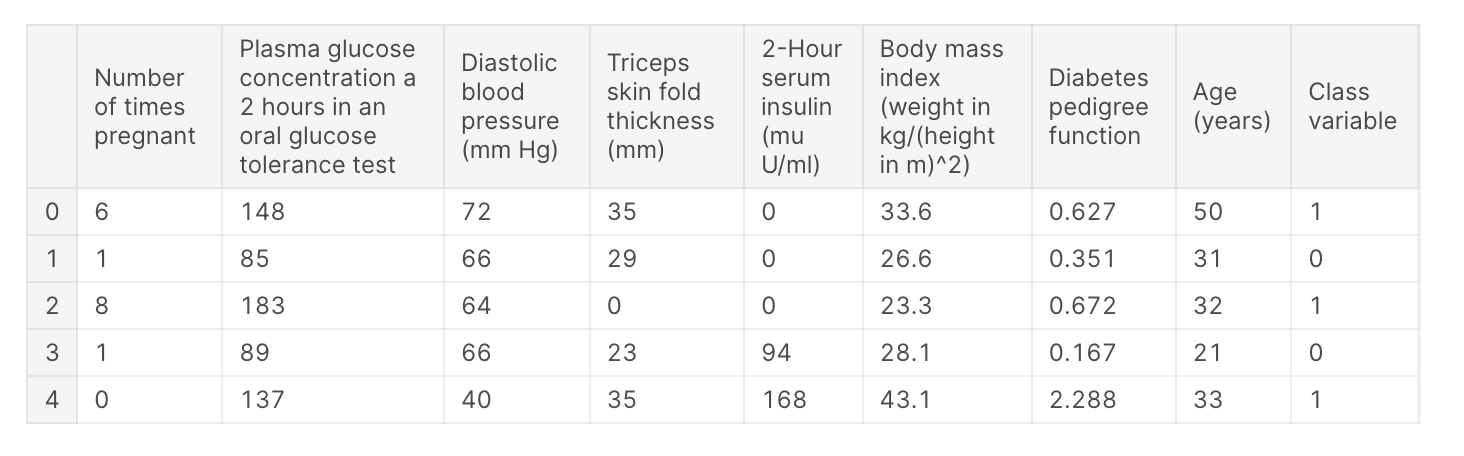
data = get_data('diabetes')